5 Configuring System
ED-HMI2120-101C User Manual 5-11
UUID、NAME、FSTYPE、SIZE、MOUNTPOINT、LABEL and MODEL are disk parameters
that need to be listed.
The types of MOUNTPOINT are“/”and“/boot”.
The storage device whose LABEL is "ADMESY" is the inserted USB storage device,
and the corresponding disk name is sda1.
FSTYPE indicates the file system type contained.
If the file system type of the inserted storage device is exFAT, please run the
following commands to install the exFAT driver.
sudo apt update
sudo apt install exfat-fuse
If the file system type of the inserted storage device is NTFS (only read permission
is supported), you can install ntfs-3g driver to realize write permission. Run the
following commands to install ntfs-3g drivers.
sudo apt update
sudo apt install ntfs-3g
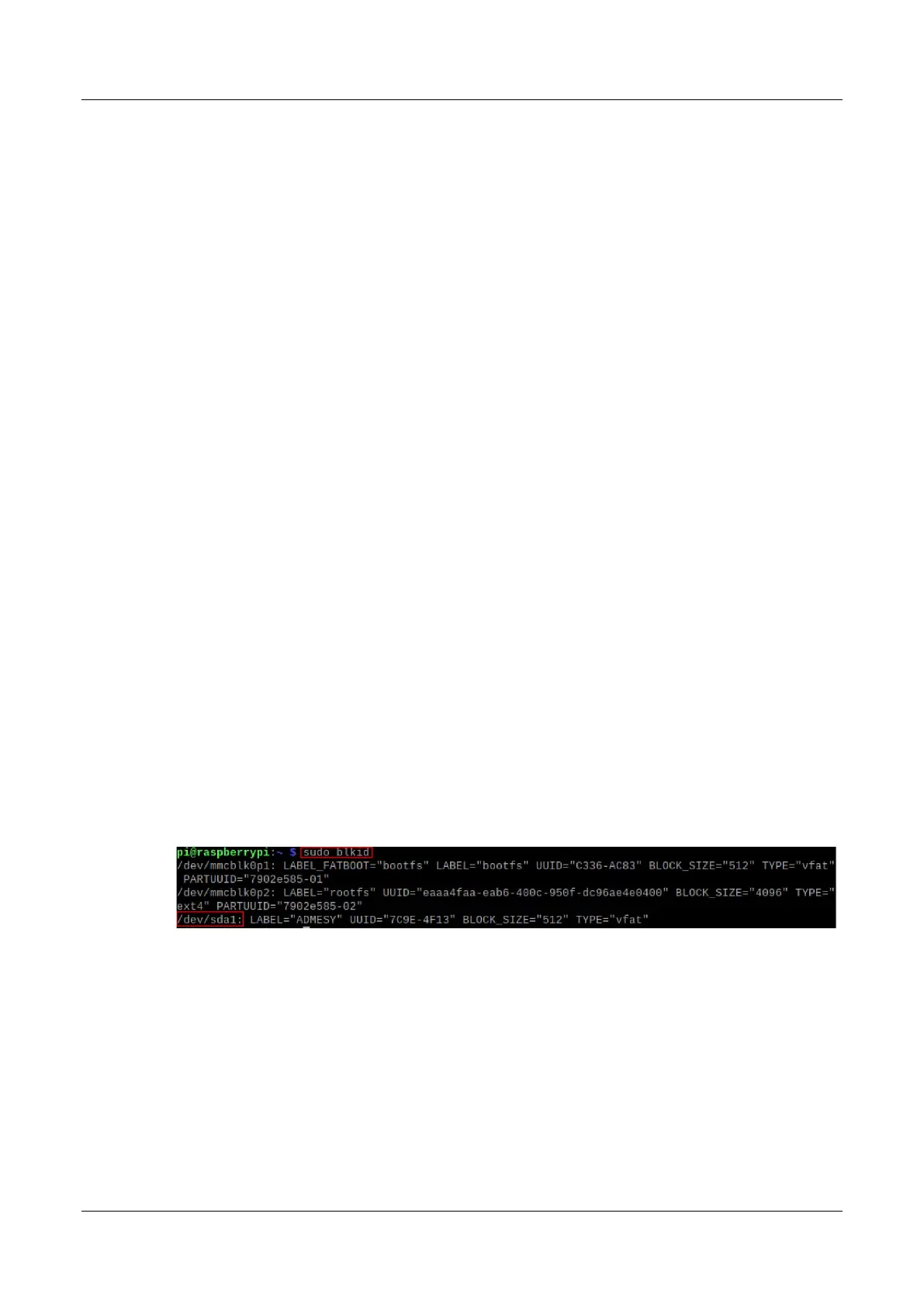
3. Run the following command to get the location of the disk partition.
sudo blkid
After running the command, the following information is displayed, which the disk partition of
the connected storage device is displayed as "/dev/sda1".
4. Create a target folder as the mount point of the storage device. Assuming that the mount
name is mydisk and the directory to be mounted is "/mnt", the command to be executed is as
follows:
sudo mkdir /mnt/mydisk
5. Mount the storage device at the created mount point, and execute the following command:
sudo mount /dev/sda1 /mnt/mydisk



 To Next Page