5 Configuring System
ED-HMI2120-101C User Manual 5-24
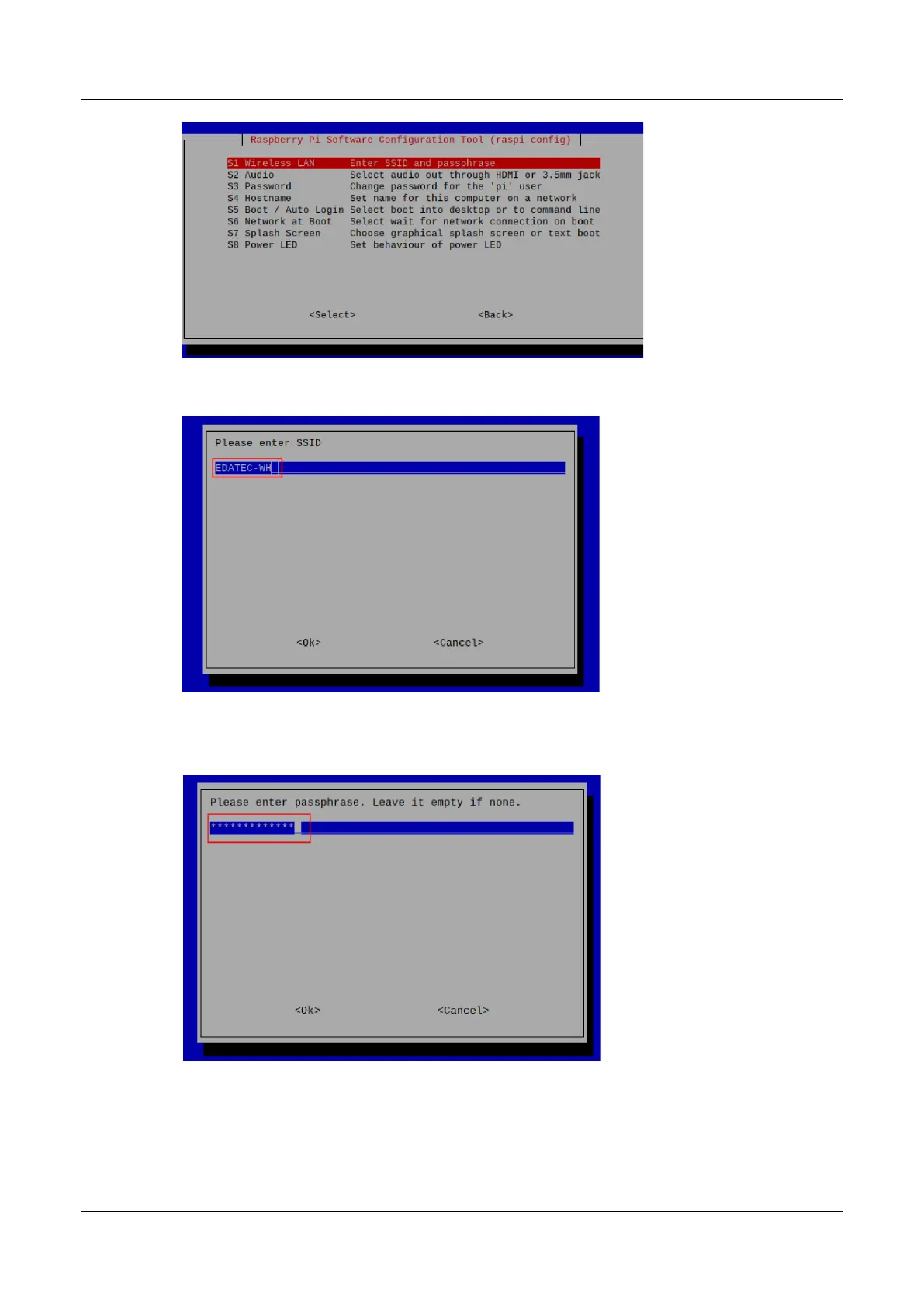
3. Press Enter and enter the WiFi name in the "Please enter SSID" interface.
4. Press Enter to enter the WiFi password in the "Please enter passphrase. Leave it empty if
none" interface.
5. Press Enter to exit the main interface of the pane, select "Finish" and press Enter to complete
the setting and return to the command line window.



 To Next Page