33
III-2-3. Using EdiView Finder
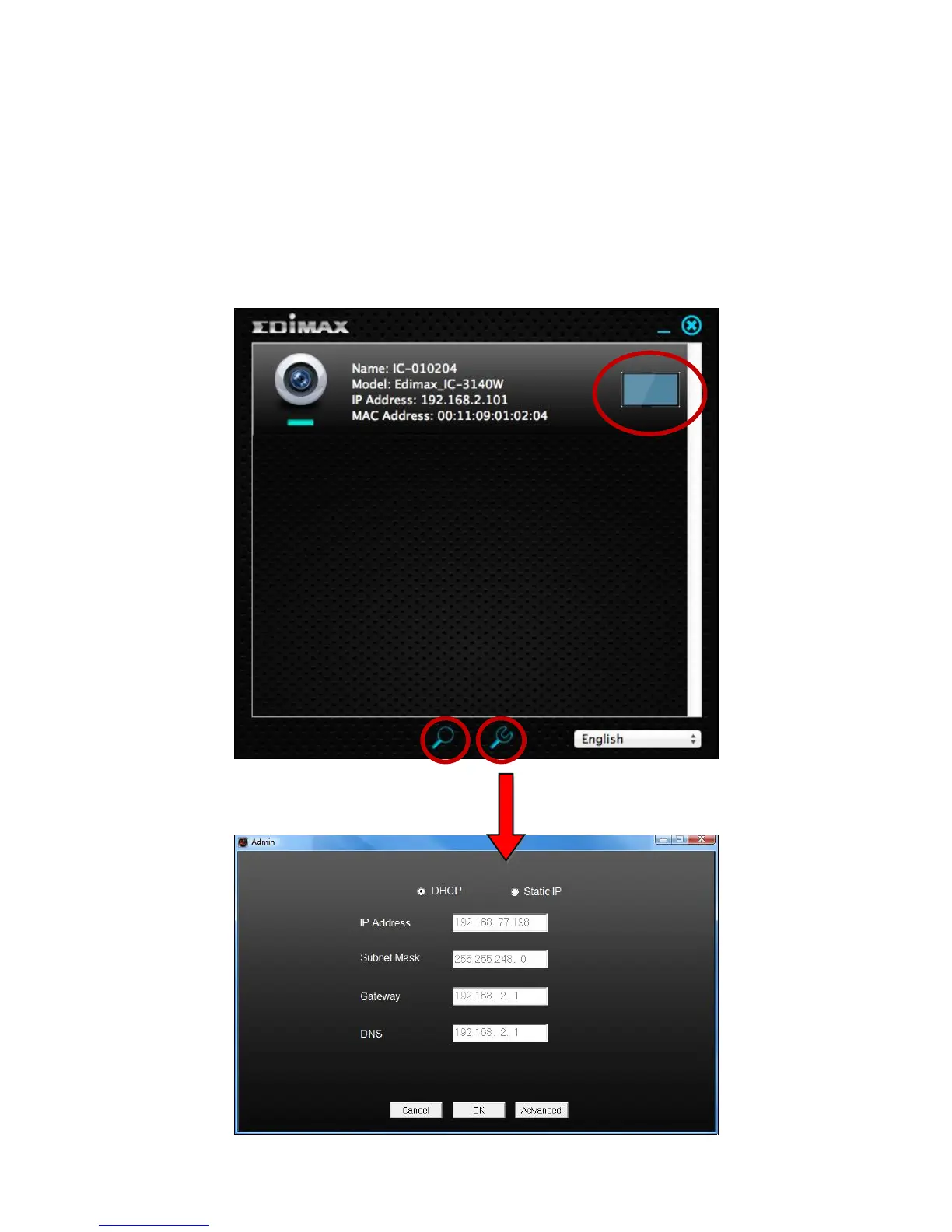
You can also use EdiView Finder to find your network camera’s IP address,
view a live stream, or modify the network camera’s IP address. Double click
the TV icon on the right side to view a live stream in a pop-up window, or click
the wrench icon to open a new window with the network camera’s IP address
settings:



 To Next Page