91
V. Myedimax.com
You can use your network camera’s Myedimax.com cloud ID to monitor your
camera remotely using a web browser from any Internet connection. The
network camera’s green LED must display on to indicate a successful cloud
connection, in order for this function to work.
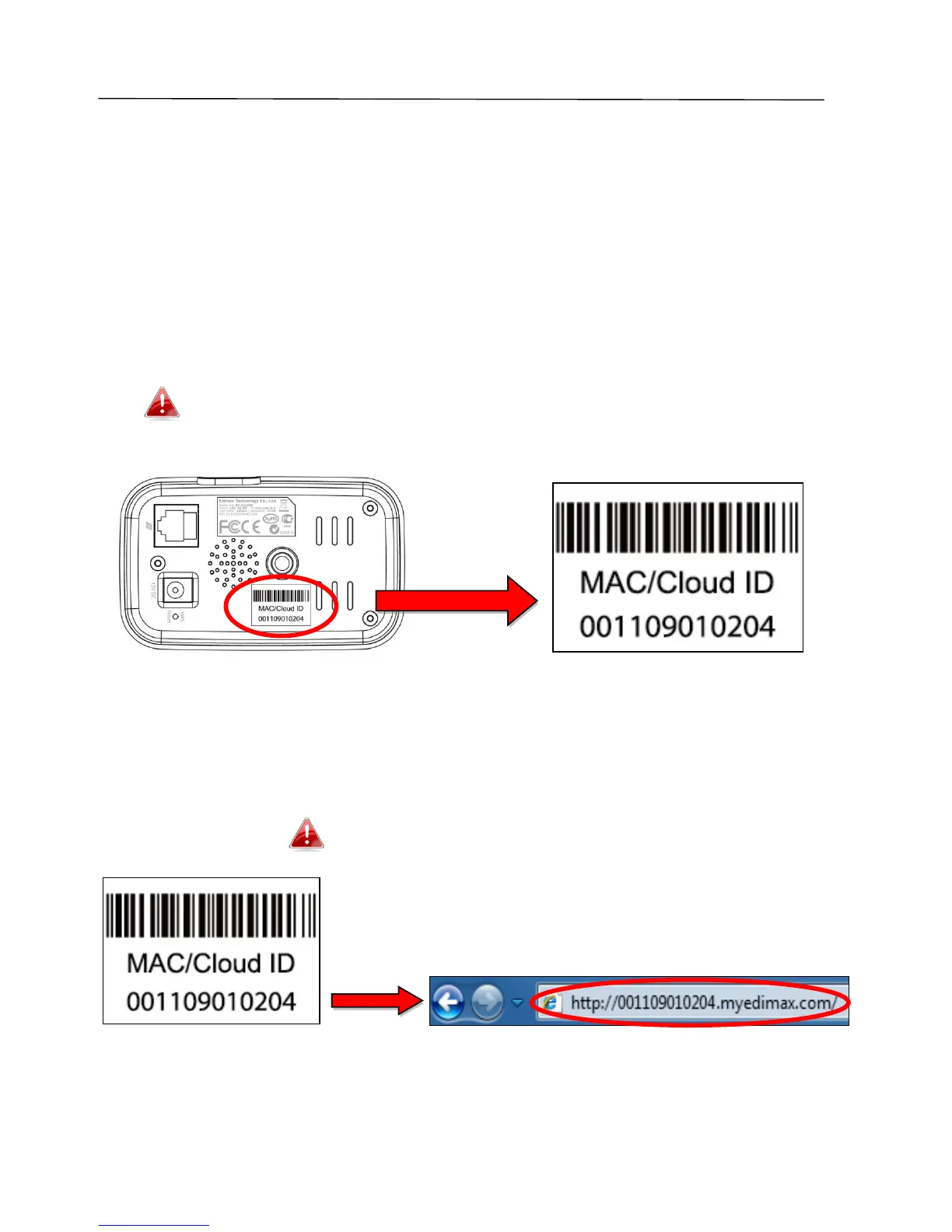
1. Identify your network camera’s cloud ID. The cloud ID is displayed in
EdiView Finder (see III-2. EdiView Finder) and on the product label on the
back of the network camera (see I-6. Product Label).
The cloud ID is a string of 12 characters consisting of numbers 0 –
9 and letters A – F which is unique to your network camera.
2. Enter cloudID.myedimax.com into the URL bar of a web browser.
For example, if your cloud ID is 001109010204 then enter
001109010204.myedimax.com into your web browser.
Internet Explorer is recommended.
3. You may be prompted to allow a Java add-on to run. Please click the
message where it says “click here” and then click “Run Add-on”.



 To Next Page