79
IV-4-2. Schedule Settings
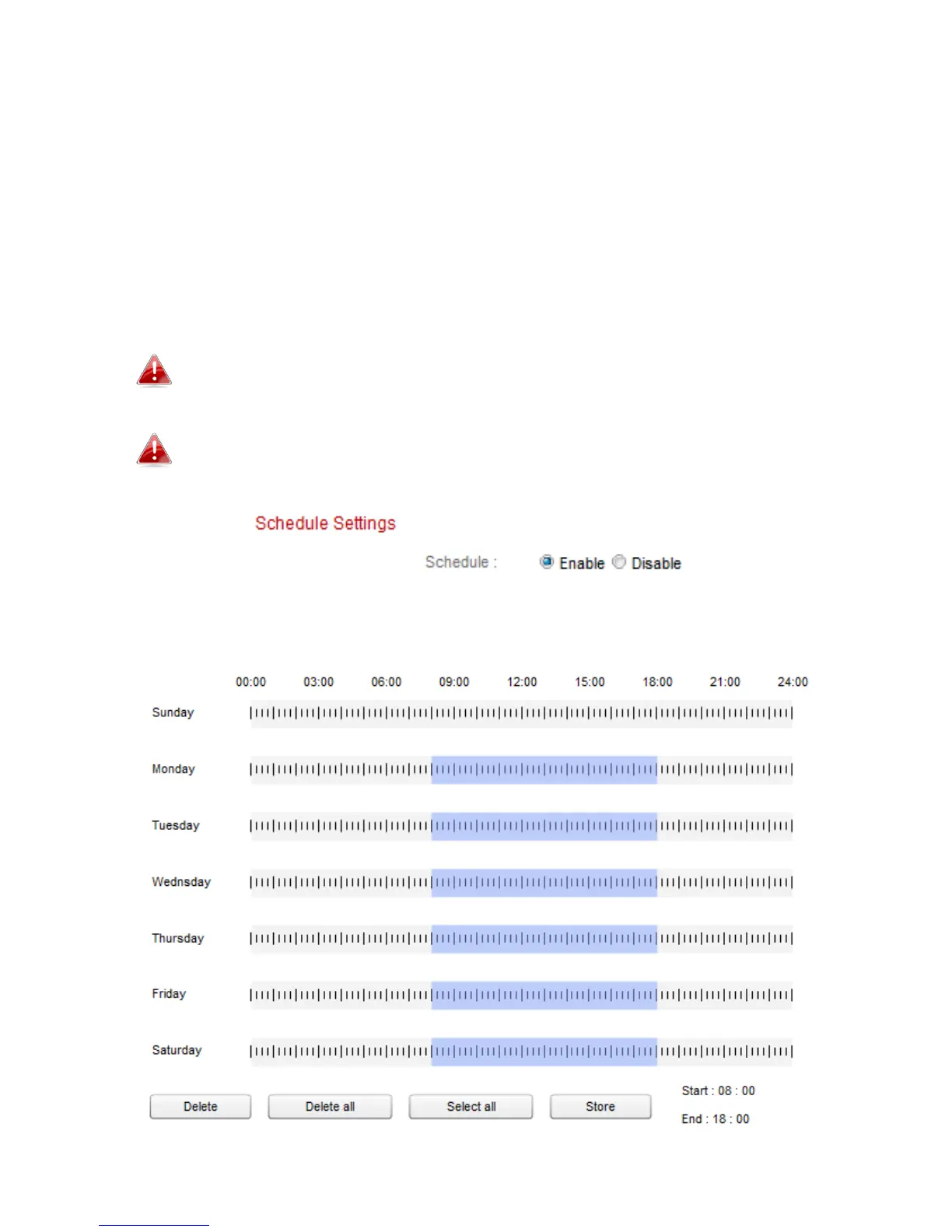
The network camera can be scheduled to record automatically at/on specified
times and days. Select “Enable” to enable this feature and then define at
which times the network camera will record using the table below.
For each day, click and drag across the timeline on the times which you want
to record. A blue box indicates a scheduled recording. In the example below,
recording is scheduled for 8am – 6pm Monday to Saturday.
By default, the schedule may be full. Delete existing entries if
necessary.
To set the limit for individual file sizes for scheduled recording, go
to Storage Settings
NAS Settings or SD Card Settings depending
on your storage location.



 To Next Page