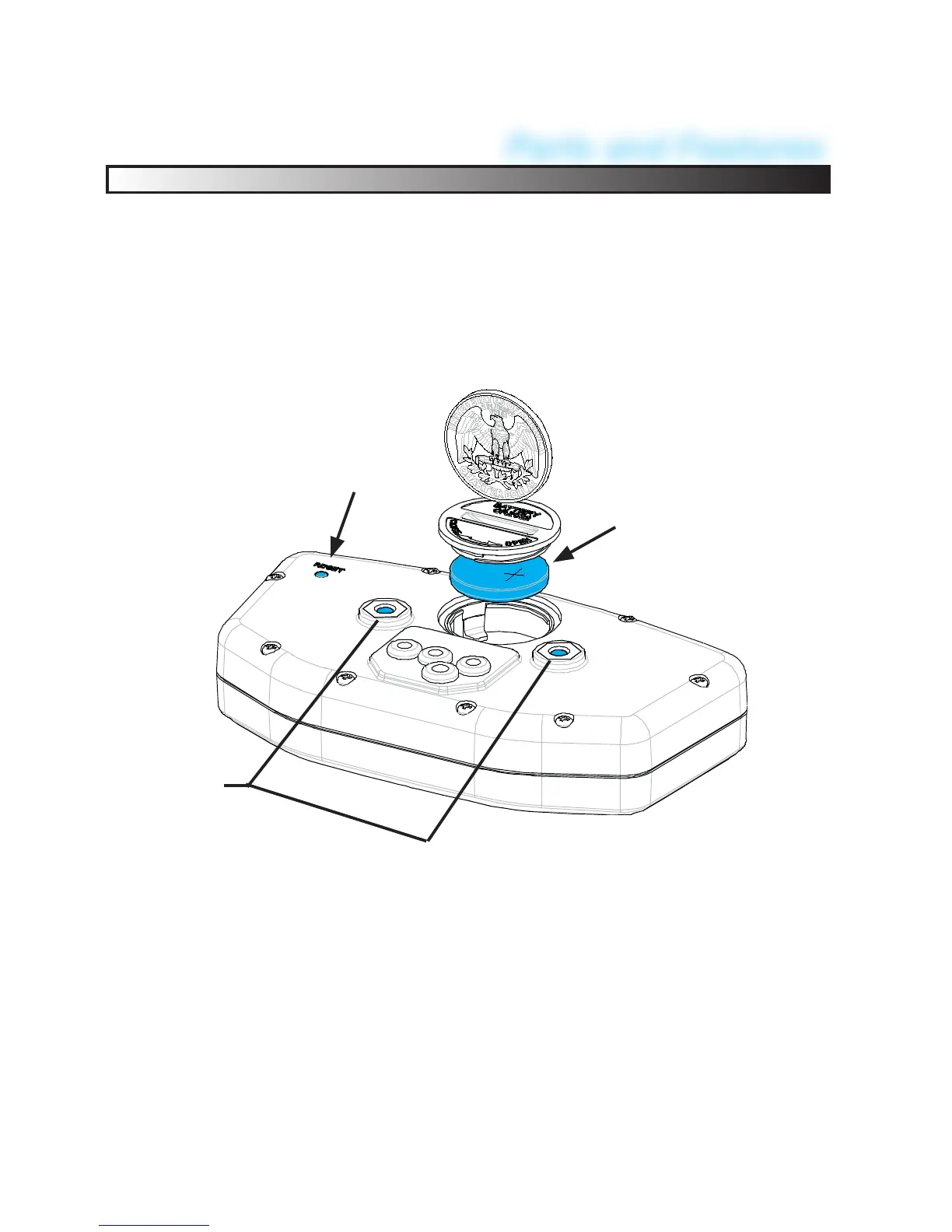
Battery
Reset
4mm
Mounting
Holes
Reset Button:
Use the Reset Button to erase data form the current ride includ-
ing clock and trip distance. Reset may also be required when
ever UNPLUGGING A SENSOR. (Forced computer to re-read
the sensor )
Internal Battery:
• EX-RAY has an internal non-rechargeable Lithium watch
type battery (#CR2032). The computer can be run from the
internal battery without external connection to vehicle power
source.
• To change the battery, unscrew the battery cap on the back oft
he computer with a coin. Make sure the POSITIVE SIDE of
the battery is FACING UP when replaced.
• REPLACE WITH BATTERY MODEL NUMBER CR2032
10
Parts and Features


 To Next Page