NORMAL MODE SCREENS
Switch between 3 Normal Mode Screens:
All of the information the EX-RAY provides is on one of these 3
screens.
When driving, the user has the choice of staying on screen 1 or
screen 2. Screen 3 will default back to screen 1 after 5 seconds.
TO SWITCH BETWEEN SCREENS,
PRESS THE CENTER BUTTON
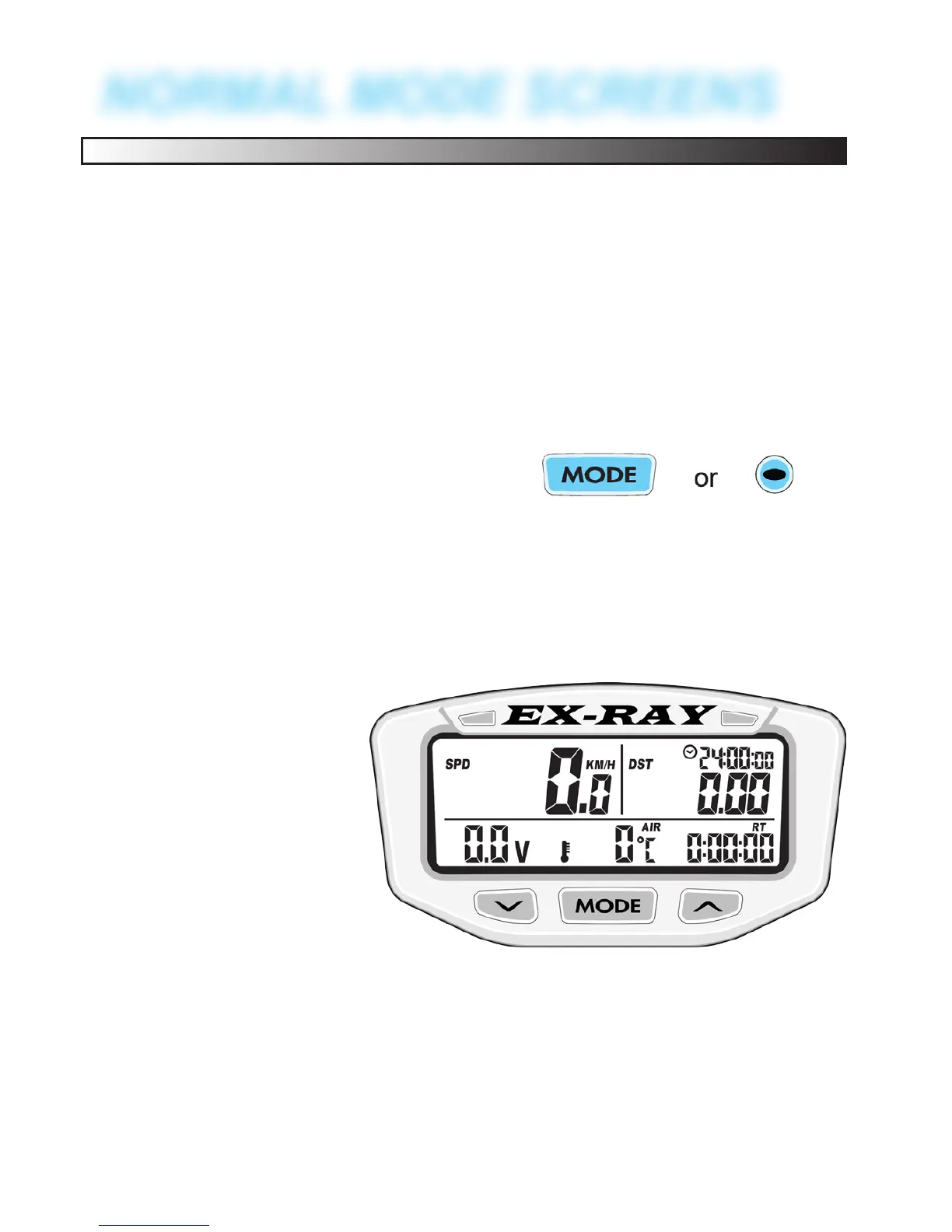
SCREEN 1:
Screen 1 displays:
• Speed (SPD)
• Distance (DST)
• Battery Voltage
• Ride Time (RT)
• Time of Day
• Engine Tempera-
ture (above 100°F)
52


 To Next Page