EX-RAY Features
Ambient Air Temperature / Motor-Engine Temp:
EX-RAY displays different temperature information on each of the
three normal mode screens.
SCREEN 1: Electrical Motor / Gas Engine Temperature
SCREEN 2: Air (Ambient) Temperature
SCREEN 3: Maximum Electric Motor / Gas Engine temperature
received by the sensor since the last reset.
Temperature LED’s:
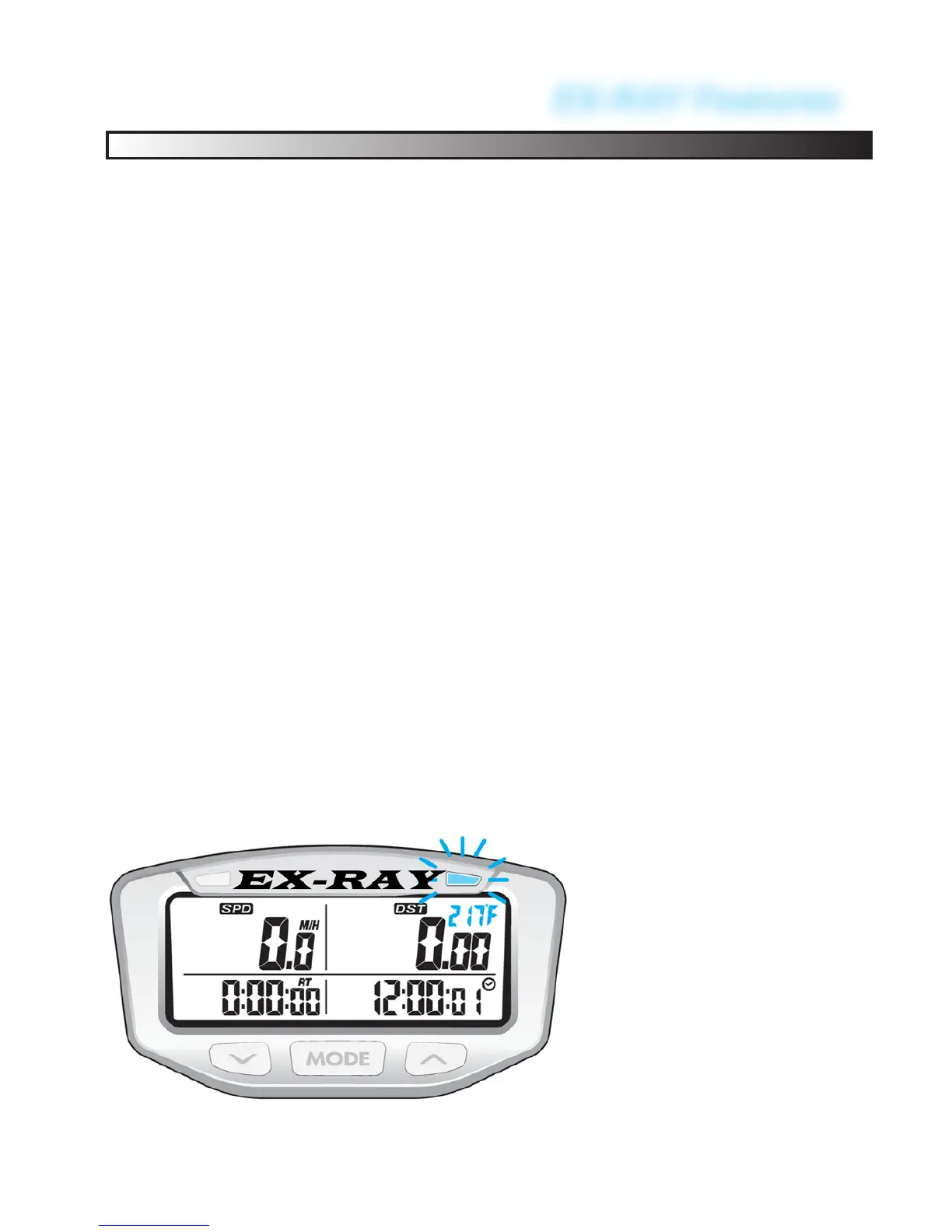
• When temperature reaches EX-RAY HIGH temp setting, the
LEFT AMBER LED will light SOLID ON, signaling the motor
is starting to get too hot.
• When temperature reaches EX-RAY DANGER temp setting,
the RIGHT RED LED will light SOLID ON, signaling the mo-
tor is too hot and recommended to stop.
• Temperature measurements are based on user dened val-
ues to advise when the motor is getting too hot. Tempera-
ture cutoffs must be programmed manually.
See DATA SETTING section.
• EX-RAY must be connected to EXTERNAL POWER or
LED’s will not function.
61
RIGHT RED LED:
Over Temp Alert
LEFT AMBER LED:
Temp Caution Alert


 To Next Page