Data Setting
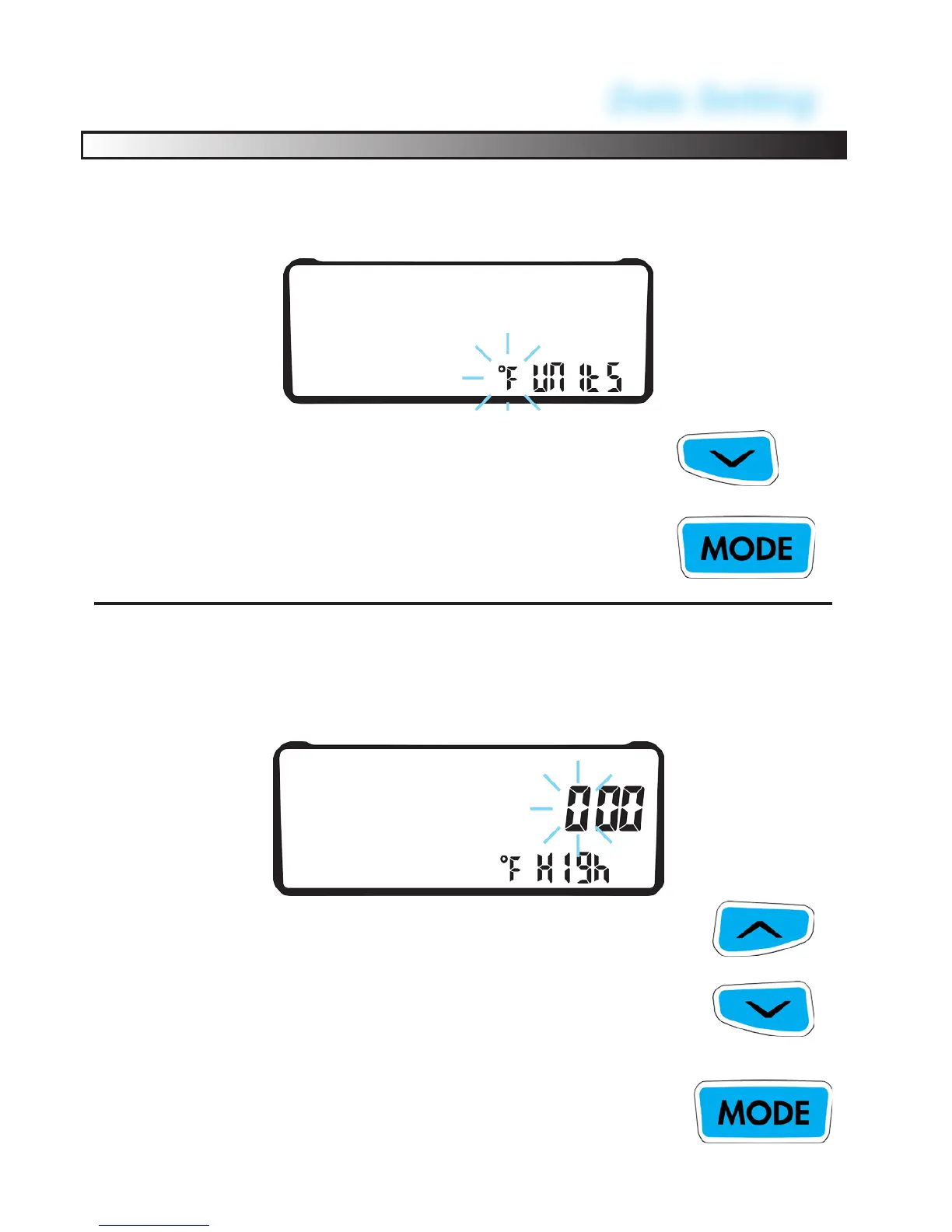
Program Temperature Unit of Measure:
Choose between °C or °F.
TO CYCLE BETWEEN °C or °F HOURS,
PRESS THE LEFT BUTTON
TO CONFIRM PRESS THE CENTER BUTTON.
EX-RAY will go to the next screen
Program HIGH Temperature Warning:
As motor temperature sensor (Electric or Gas) reaches the value
of this setting, the Amber left LED will turn on as a CAUTIONARY
warning. Setting to 0 disables the alert. (Factory default = 0°)
MODIFY FLASHING DIGITS BY
PRESSING THE LEFT BUTTON.
TO CONFIRM PRESS THE CENTER BUTTON.
EX-RAY will go to the next screen
46
CHANGE TO NEXT DIGIT BY
PRESSING RIGHT BUTTON.


 To Next Page