6
4.
(Optional)
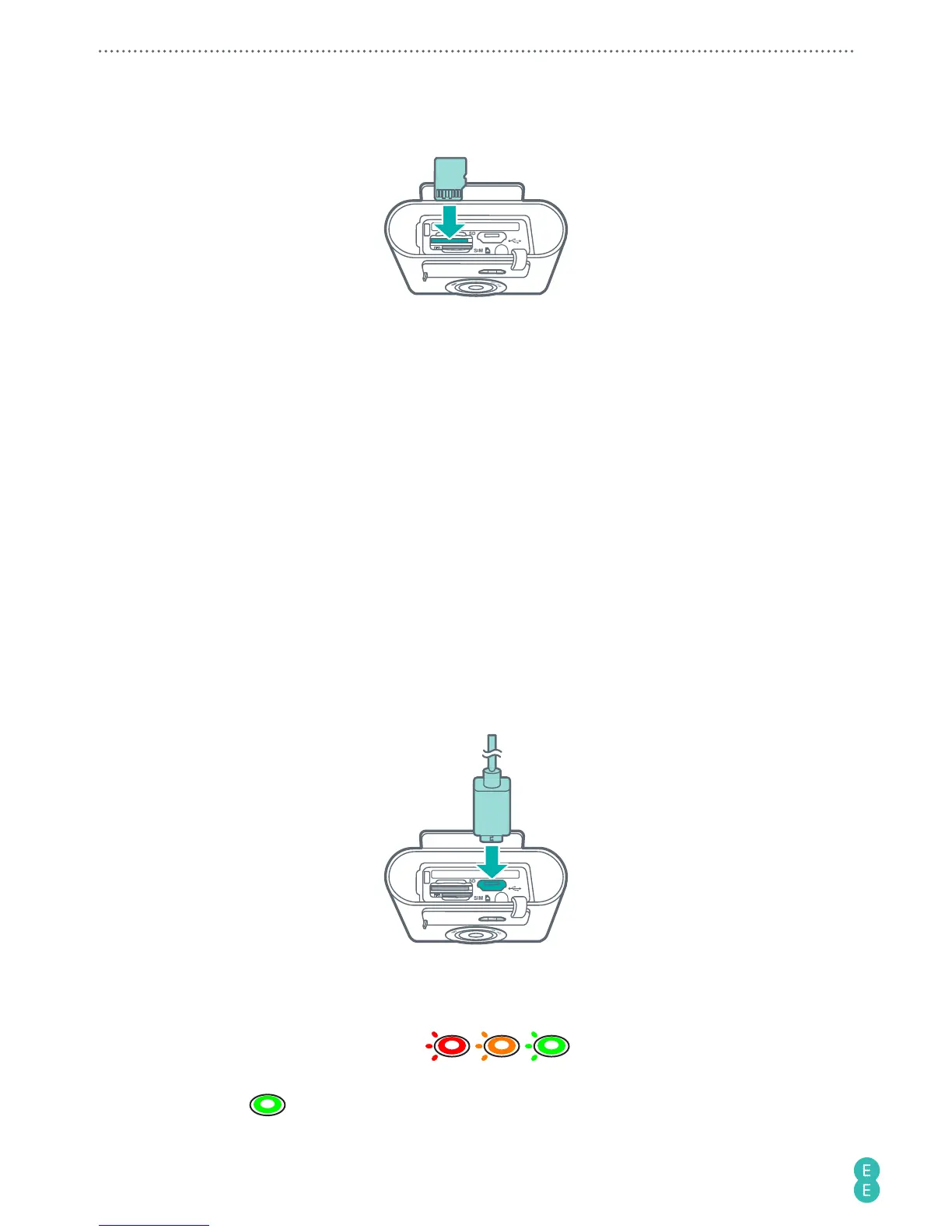
If you have a microSD card, insert it into the microSD cart slot until it clicks
into place.
Note:
The camera supports microSD cards (formatted in FAT32 only) up to 64 GB in size.
You can purchase a microSD card separately from an EE store or online at
accessories.ee.co.uk
.
Note:
Your camera automatically selects the source for multimedia file storage. If you have
inserted a microSD card into your camera, photos/videos captured will be stored in the
microSD card storage. If no microSD card is inserted, photos/videos captured will be stored
in your camera’s internal storage (limit: approximately 2.4 GB). The actual storage space in
your camera available for use depends on the amount of space the preloaded content takes.
Removing the nano-SIM/microSD card
Push the nano-SIM/microSD card in to release it from the card slot, then pull out the nano-
SIM/microSD card.
Charging the camera
1. Insert the smaller end of the USB cable into your camera’s micro USB port.
2. Insert the larger end of the USB cable into the matching power adapter (standard 5V/1A
charging head required).
3. Plug the power adapter into an electrical outlet to start charging. The Power button/
status light flashes red/amber/green
/ / .
4. When charging is complete (approximately 2 hours), the Power button/status light turns
solid green
.



 To Next Page