9
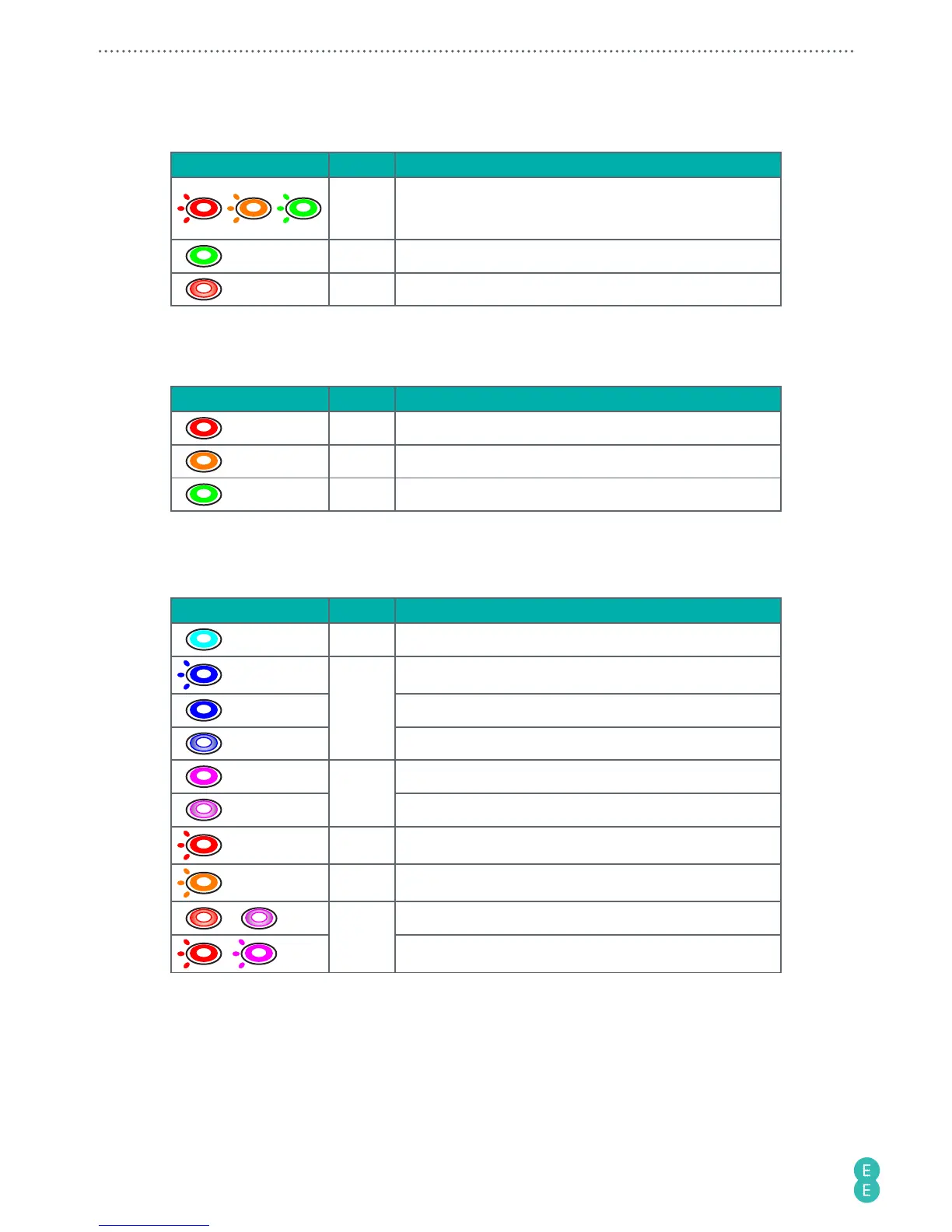
Battery
Status light
Colour
Meaning
/ /
Red/
Amber/
Green
The battery is charging.
Note:
After the battery is fully charged, the Power button/
status light turns solid green.
Green The battery is full.
Red The battery power is low.
To check the battery status, press the Power button/status light twice and observe the
status light below.
Status light Colour Meaning
3 sec
Red Battery level 0% - 19%
3 sec
Amber Battery level 20% - 59%
3 sec
Green Battery level 60% - 100%
Camera
Status light Colour Meaning
Cyan The camera is turning on.
x 2
Blue
Take photos.
Video recording is in progress.
The camera is ready for photo/video shooting.
Purple
Live streaming is in progress.
The camera is ready for live streaming.
x 3
Red An error has occurred. Refer to the app notifications.
4 sec
Amber The camera is rebooting.
+
Red +
Purple
The camera software is downloading.
+ The camera is updating or resetting.



 To Next Page