21
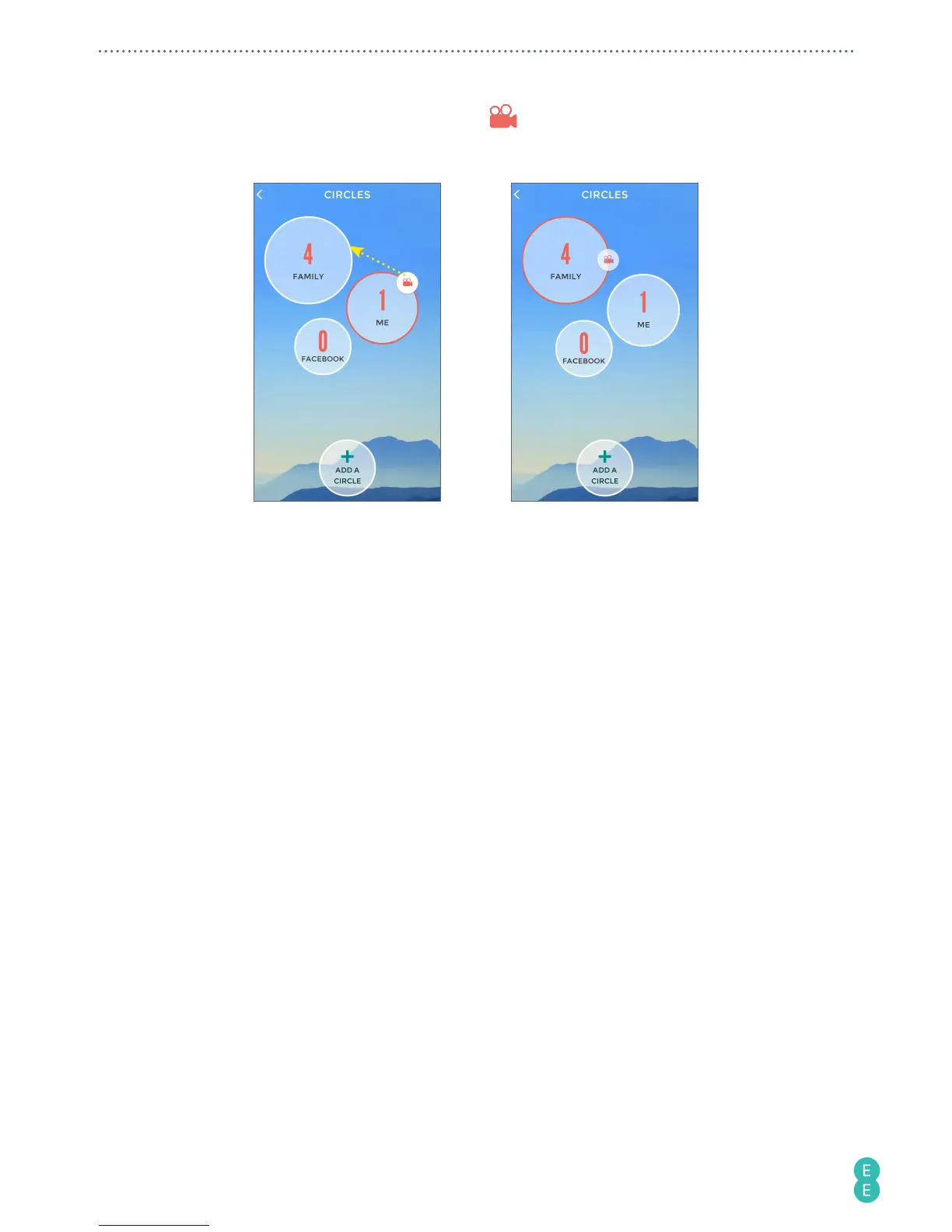
5. On the
CIRCLES
screen, drag the camera icon to the new circle. This icon indicates
what circle is your default one and so the next time you go live from the camera, it will
stream to that circle.
The next time you start a live stream from your camera, the contacts in your selected circle will
be notified with a text message containing a web page link to your video stream. Your friends
and family simply need to click on the link to start watching you in action in real time.
Replaying live streaming videos
When you live stream a video to skeegle, a copy of this recording will be saved. You can later
use the 4GEE Action Cam app* (please refer to
“Managing photos and videos” on page 26
) or
the skeegle app to replay the streaming video/event.
*If you have at least 500 MB of available memory.
A. To replay your streamed videos
1. On the top left corner of the main screen of the skeegle app, touch your profile
picture.



 To Next Page