4
Overview
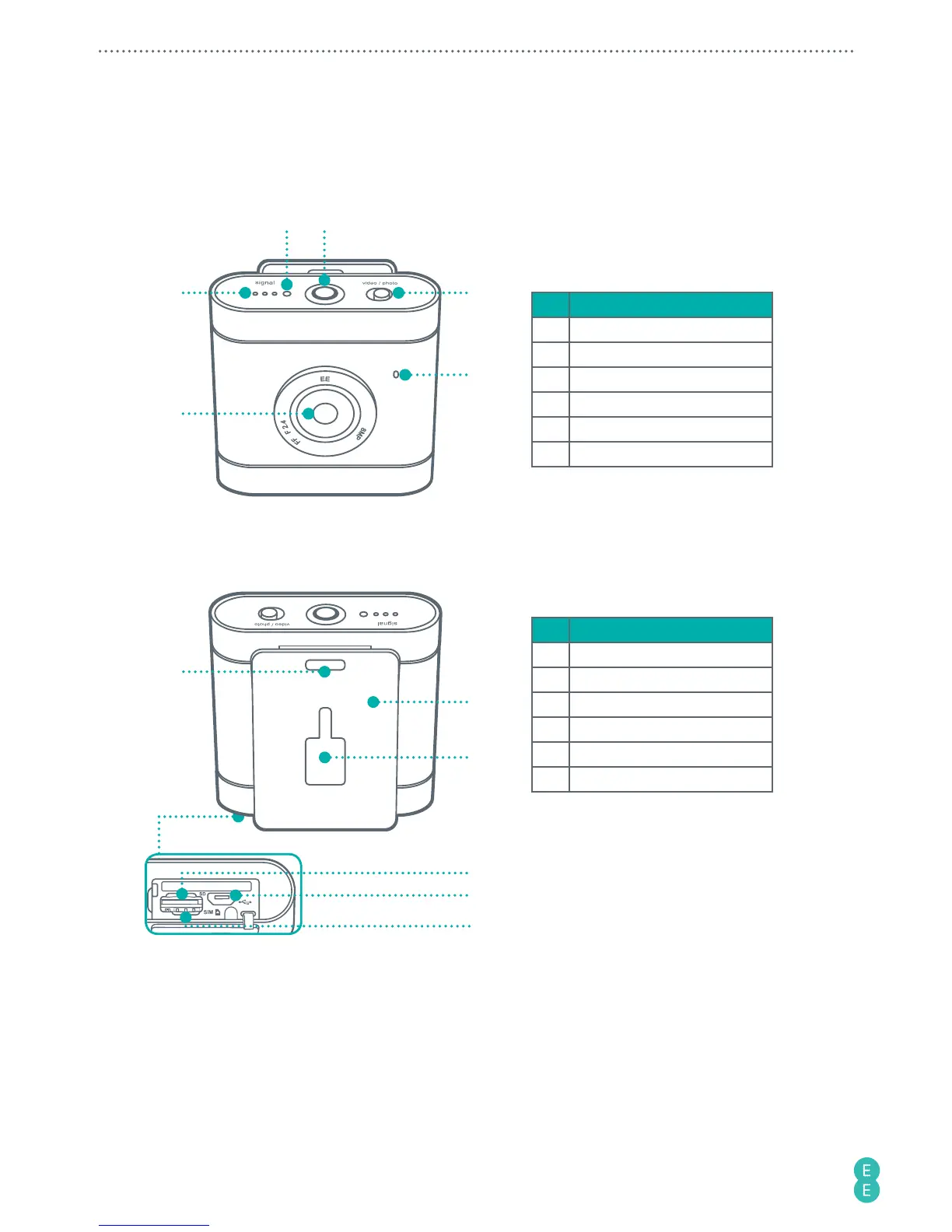
Front view
2 3
1
4
5
6
No. Item
1 Signal indicator
2 Microphone
3 Power button/status light
4 Toggle switch
5 Speaker
6 Camera lens
Rear view
7
Bottom view
8
9
10
11
12
No. Item
7 Lanyard hole
8 Camera clip
9 Accessory adaptor slot
10 MicroSD card slot
11 Micro USB port
12 Nano-SIM card slot
Note:
To understand the lighting patterns of the indicators and the meanings they represent,
please refer to
“Identifying the light indicators” on page 8
.
Note:
The camera clip itself is designed for easy carrying. To perform extreme sporting
events, use accessories compatible with the accessory adaptor slot or the lanyard hole for
security. These accessories are available separately to buy at your nearest EE store or online at
accessories.ee.co.uk
.



 To Next Page