25
Note:
Each time before live streaming videos to skeegle, your camera must be connected to the
3G/4G network. Live streaming over a 4G network will provide the best experience.
3
2
4, 5
1. On your camera, move the Toggle switch to
Video
.
2. In the main screen of the app, touch
to enter Live streaming mode.
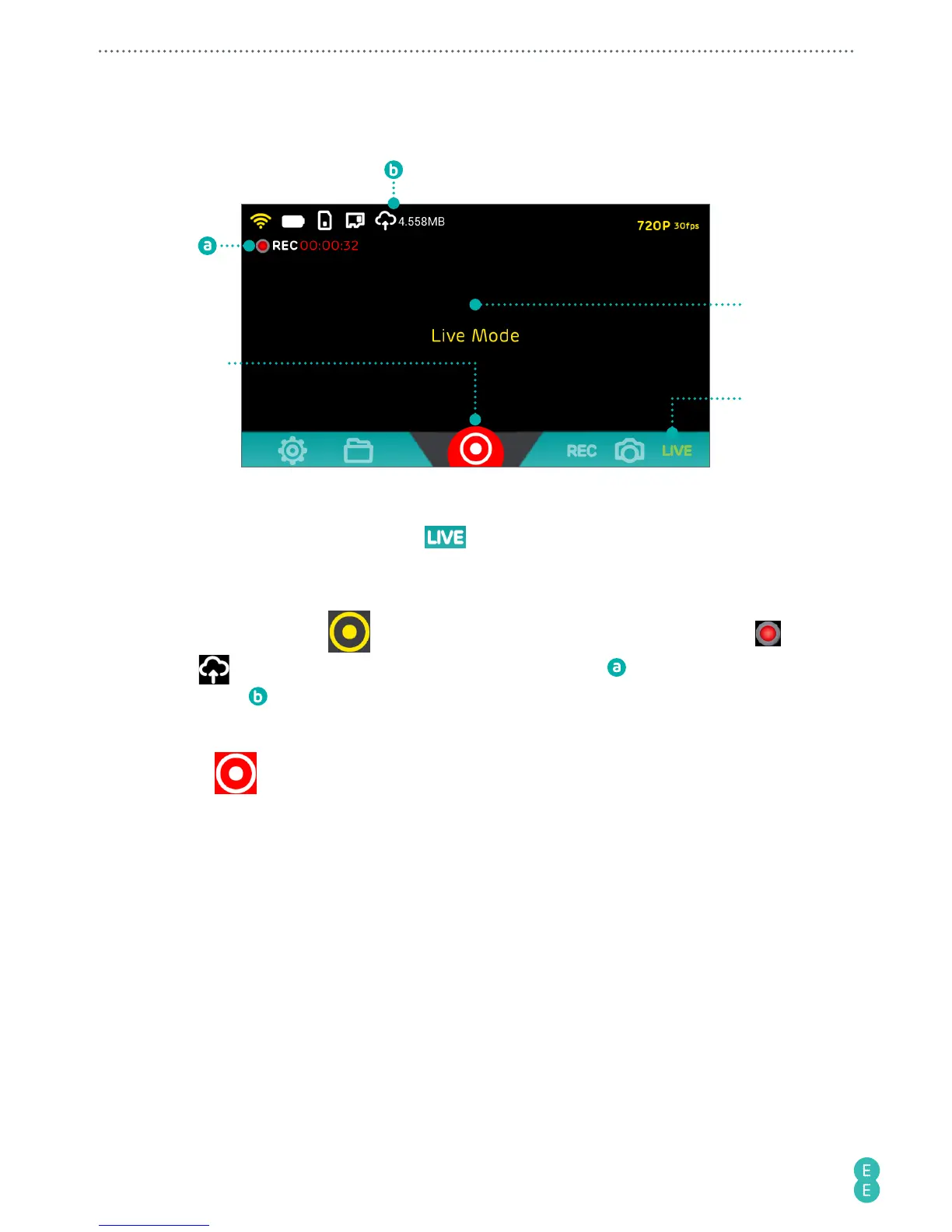
3. Aim your camera at your subject, which will be shown on the preview screen of your
phone.
4. Back in the app, touch
to start live streaming. The Shutter icon turns red, and
and
displays at the upper left, indicating the elapsed time and uploading
megabytes
since live stream began.
Note:
The preview screen goes black during live streaming.
5. Touch
to stop live streaming. Your camera will save a copy of the streaming video
to the internal or microSD card drive as well.
Note:
you need to have at least 500 MB of spare storage either on the camera or microSD
card for the camera to save a copy of your stream. Otherwise you can watch a playback of
your stream through skeegle.



 To Next Page