ELAN HC4/HC8 INSTALLATION MANUAL
© ELAN 2010 | All rights reserved.
Page 29
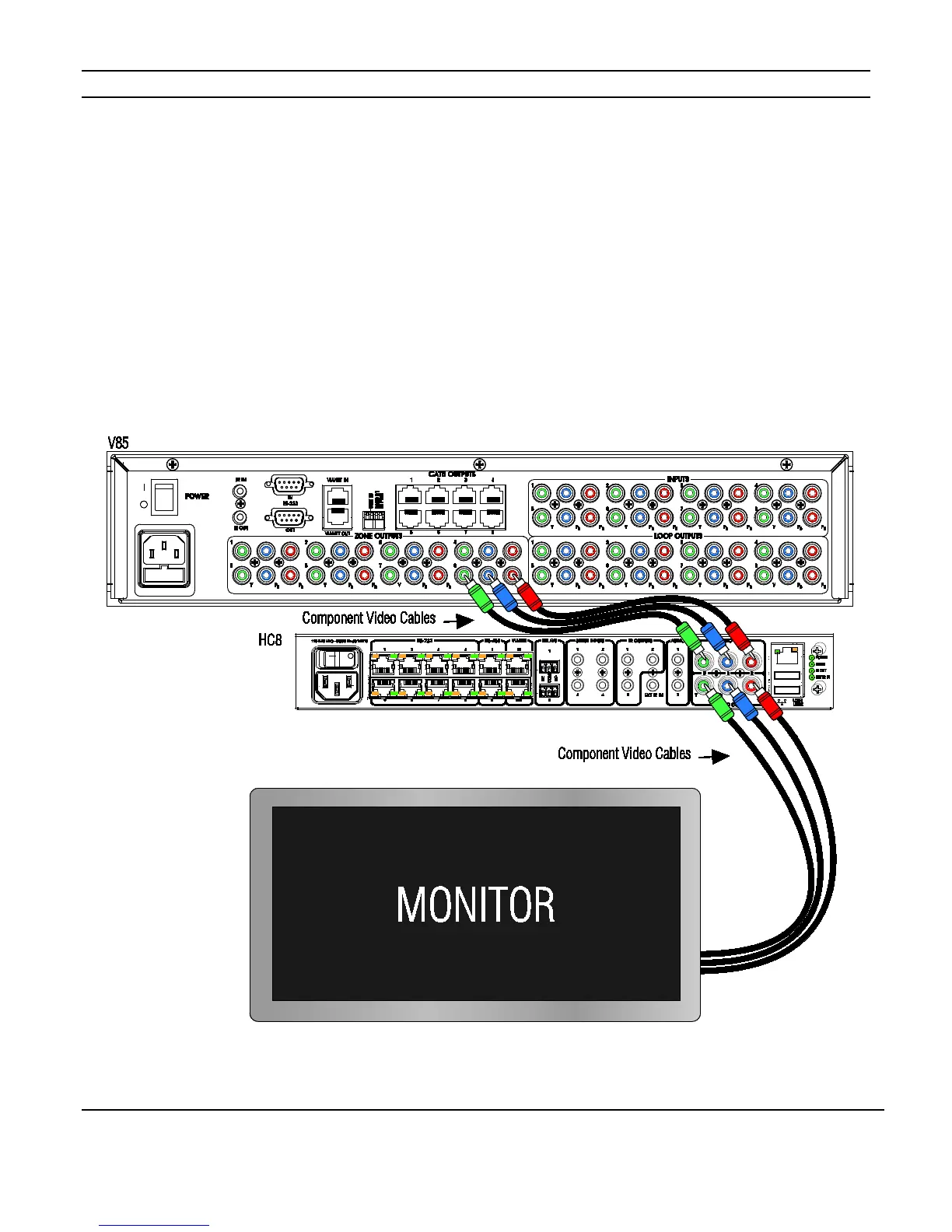
Component Video Input / Output Connections
The component video connections allow source video and the On Screen Display (OSD) of
the System Controller to be displayed on a monitor using only one set of inputs. If a matrix
video switcher like the V85 is being used, route one of the V85’s outputs into the System
Controller’s video inputs and from the video outputs of the System Controller to the inputs
of the monitor. This allows any component source’s video to be viewed.
Figure 3-12 shows the video connections from the V85, through the HC8 and then to a
monitor.
Figure 3-12: Component Video Connections
.



 To Next Page