ELAN HC4/HC8 INSTALLATION MANUAL
© ELAN 2010 | All rights reserved.
Page 30
Ethernet Connections
The Ethernet connection allows the System Controller to communicate with In-Wall
Touchscreens, Wireless Touchscreens, and Ethernet controlled devices, Network Attached
Storage (NAS) devices and the Internet. It also allows control from a computer’s Viewer
interface.
The ELAN configuration programming and remote access to the System Controller is
accomplished through the Ethernet connection.
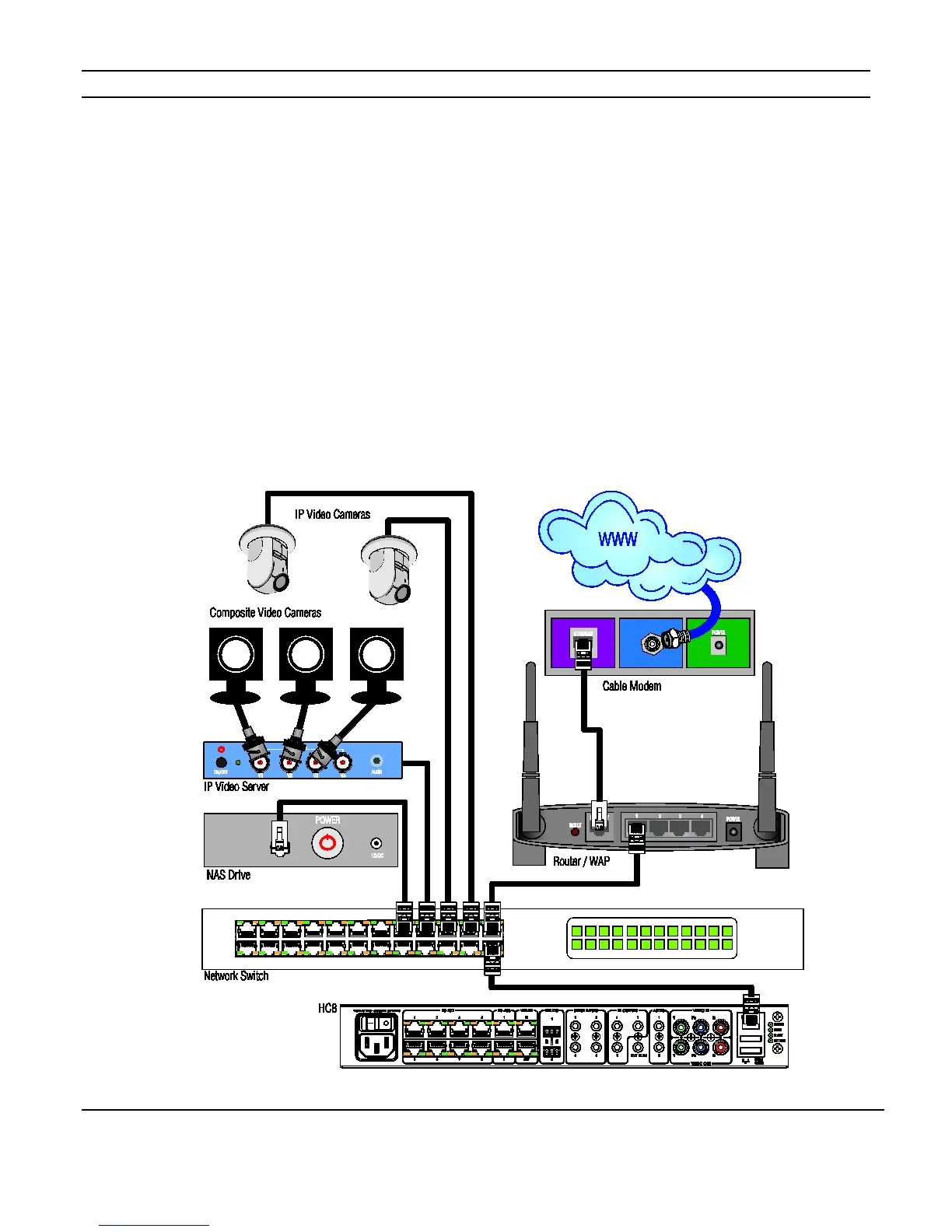
The Ethernet connection may be made to a router or switch connected to a router. Typical
networks connections are shown in Figure 3-13.
Figure 3-13: Network Connection



 To Next Page