ELAN HC4/HC8 INSTALLATION MANUAL
© ELAN 2010 | All rights reserved.
Page 53
Port Forwarding
There are two ports on the wireless router that are forwarded to the System Controller in
standard installations. Both ports can be changed if needed.
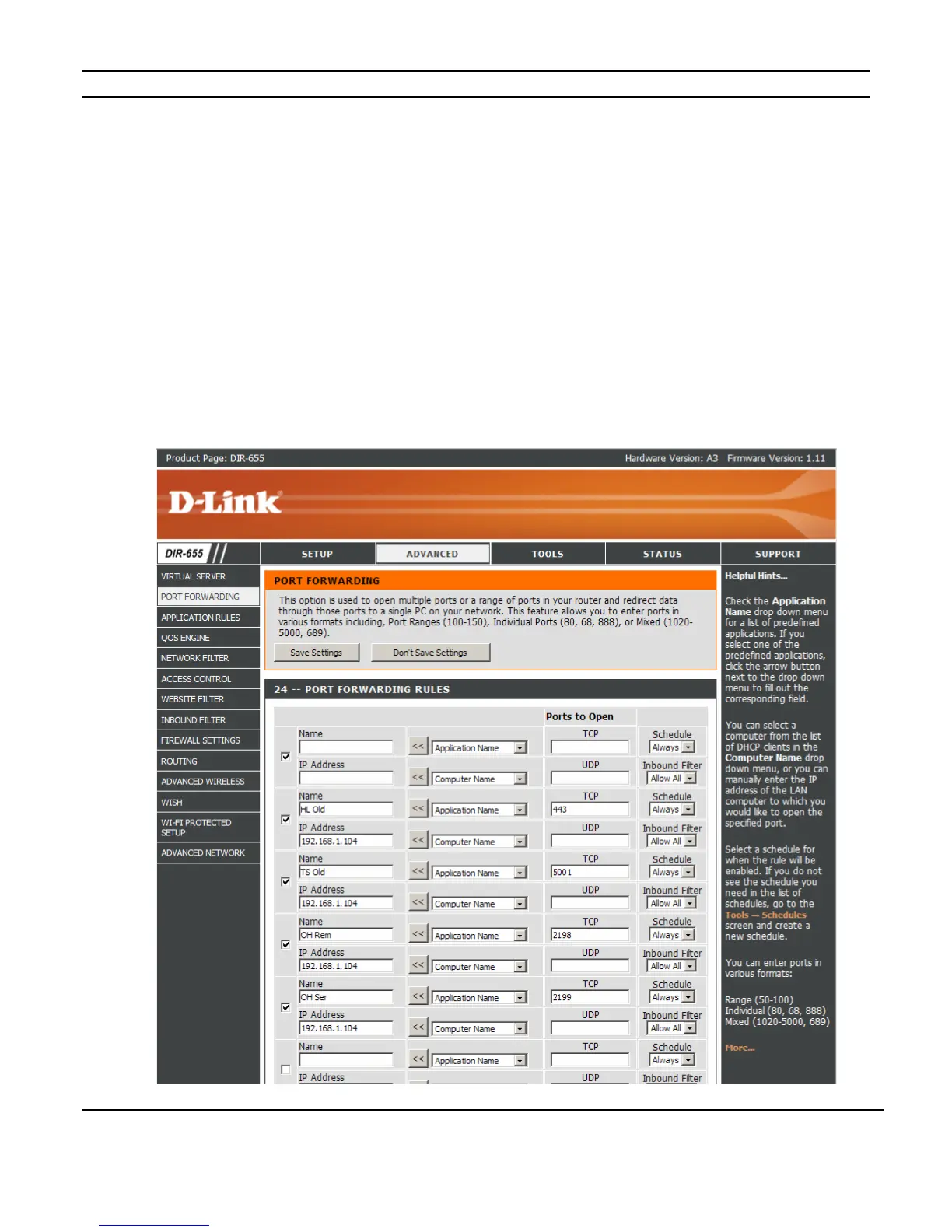
Port 2198 - Remote Access: this port enables a remote user to access the Viewer interface
over the Internet. (On older systems, this was assigned to port 443.)
Port 2199 - Service: this port enables service connections, so that support personnel from
ELAN or from the dealer’s office can access the System Controller remotely to troubleshoot
issues or change programming. (On older systems, this was assigned to port 5001.)
Figure A-4 shows the standard port forwarding settings. The “IP Address” should match
the System Controller’s IP address.
Figure A-4: Port Forwarding
.



 To Next Page