11
2.8 Selecting a language
The Elcometer 456
2
has over 20 built-in languages.
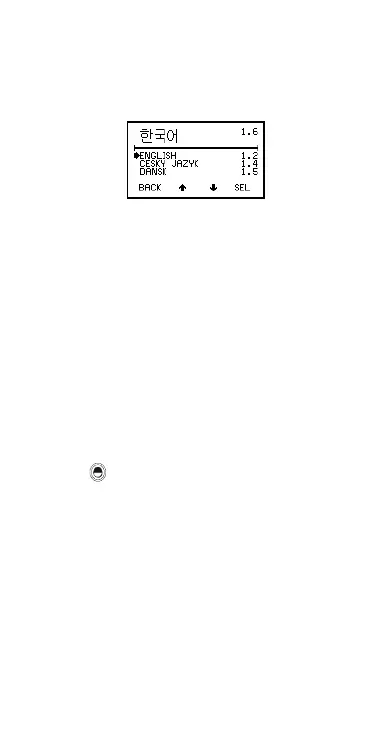
When the gauge is switched on for the first time after
dispatch from the Elcometer factory the display will show
the language selection screen (Figure 6).
Figure 6. Language selection screen
2.8.1 At first switch on
1. Press Up/Down softkeys to locate language
required.
2. Press SEL softkey to activate the selected
language.
The screen displays an Elcometer 456
2
welcome
screen (Figure 4) followed by the reading screen
(Figure 5).
The gauge operates in the new language until
changed.
2.8.2 At any time
1. Switch gauge off.
2. Press and hold left hand softkey.
3. Press key to switch on gauge.
The display will show language selection screen
with current language highlighted by cursor.
4. Release left hand softkey.
Follow the instructions given in 2.8.1.
Alternatively, select MENU/SETUP/LANGUAGES - see
“Main MENU - Extended menu on” on page 18.
Op_456_2_English.book Page 11 Friday, February 17, 2006 3:35 PM



 To Next Page