16
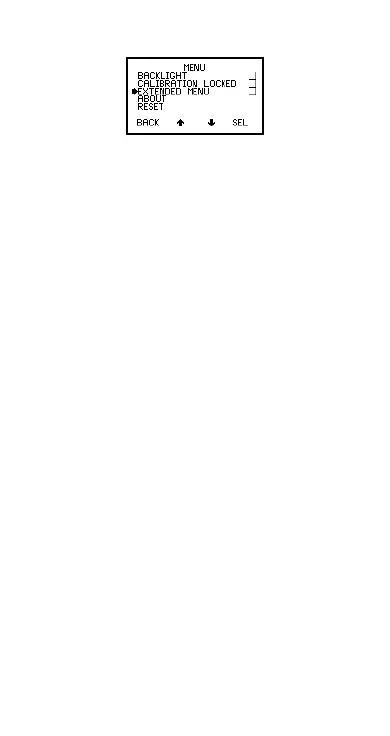
4.3 Main MENU - Extended menu off
Figure 13. Main menu - extended menu off
4.3.1 BACKLIGHT
Switches backlight on and off. Toggle tick box to
activate/deactivate. With BACKLIGHT activated the
display is illuminated for approximately 5 seconds when
a reading is taken or a key pressed.
Note: The battery life is reduced by about one third
when the backlight is activated.
4.3.2 CALIBATION LOCKED
Protects against inadvertent calibration adjustment.
Toggle tick box to activate/deactivate. If CAL softkey is
pressed while CALIBRATION LOCKED is activated the
gauge displays CALIBRATION LOCKED USE MENU
TO UNLOCK. The message disappears after 3 seconds.
4.3.3 Extended MENU
Provides access to additional features. Toggle tick box
to activate/deactivate. See “Main MENU - Extended
menu on” on page 18.
4.3.4 ABOUT
Provides information on Gauge, Probe, Contact
information and Help (Figure 14):
GAUGE INFORMATION:
Elcometer 456
2
model,
software versions, etc.
PROBE INFORMATION:
Probe type, range, etc.
CONTACT:
Details of Elcometer offices worldwide and,
if programmed, the contact details for the Supplier or
Local Distributor.
Op_456_2_English.book Page 16 Friday, February 17, 2006 3:35 PM



 To Next Page