14
4 THE READING SCREEN AND MENUS
4.1 Reading screen
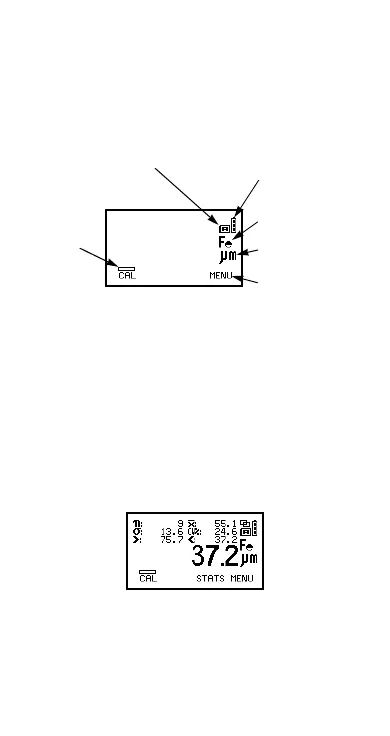
The content of the reading screen (Figure 10, Figure 11)
depends upon the type of measurement being made and
how the gauge is set up.
Figure 10. Example of reading screen with smooth
surface calibration method selected
CAL.
Operates selected calibration adjustment method.
MENU.
This opens the main MENU of the gauge and
provides access to user-selectable features - see
page 18.
Note: If CAL softkey symbol is flashing the gauge should
be recalibrated. This is due to the calibration adjustment
method having been changed or a probe change - see
“Calibration adjustment” on page 23.
Figure 11. Reading screen in extended mode and
showing full set of statistical values.
Automatic-switching
probe symbol
(FNF probes only)
Battery
symbol
Substrate
Units
Softkey
function/
symbol
Cal
Method
symbol
Op_456_2_English.book Page 14 Friday, February 17, 2006 3:35 PM



 To Next Page