Installation Information
2-14
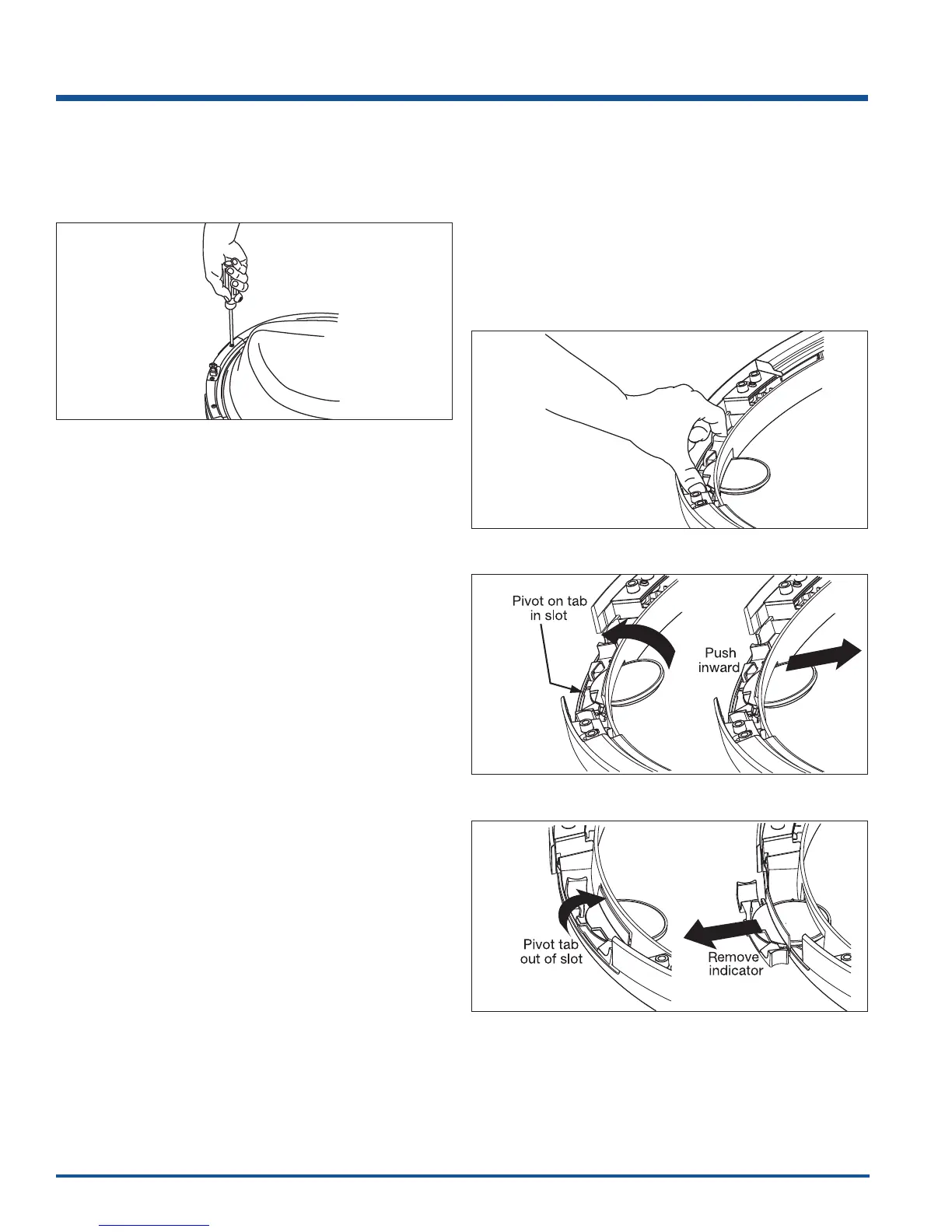
Removing Striker Plate
1. Remove 2 long, course-thread, counter-sunk screws
and striker plate. (See Figure 2-24)
2. Set the striker plate to the side for later.
Removing Latch Indicator
1. Grasp the indicator on the latch side between finger
and thumb and rock it upward, pivoting away from
the center of the glass. (See Figure 2-25)
2. Gently push the indicator toward the center of the
lens to release the tab.
3. Rock the tab upward. (See Figure 2-26)
4. Pull the indicator out and set it aside.
(See Figure 2-27)
Figure 2-24.
Figure 2-25.
Figure 2-26.
Figure 2-27.






 To Next Page