Electronic Control
3-15
Setting Preferences
Custom Mode
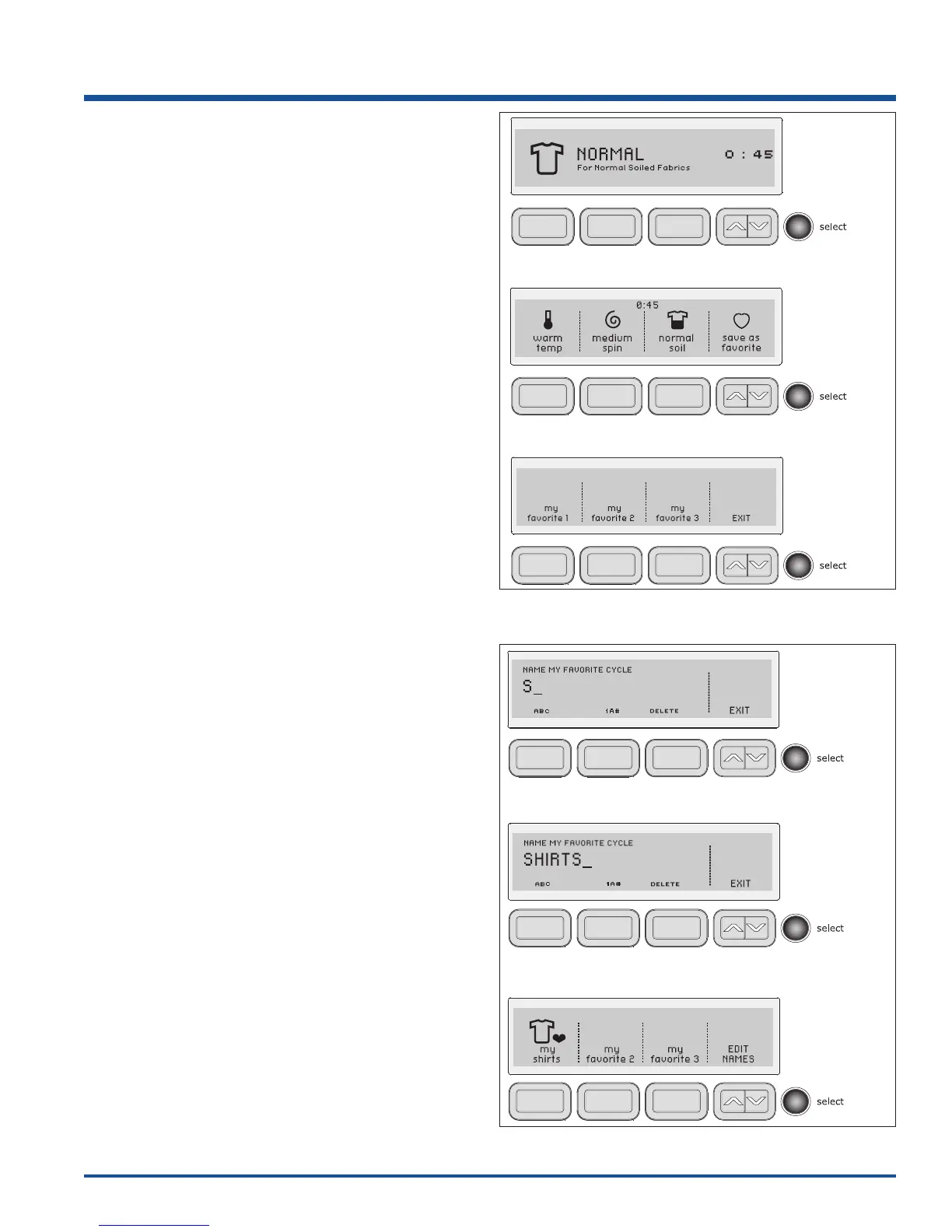
CUSTOM MODE allows up to 3 household members to
personalize up to 3 favorite cycles each.
To enter custom users and personalize favorite cycles:
1. Use the scroll up or scroll down buttons until you
reach set prefs. Press the select button to enter the
preference menu.
2. Press select again to enter CUSTOM MODE.
3. Press the button for user 1, user 2 or user 3.
4. Press select.
Press the button under ABC to name the favorite cycle
alphabetically. Use the button under 1A# to add numbers,
foreign language characters or symbols to the name.
Rotate the cycle selector knob in either direction to select
the characters in the name, pausing after each character
to let the cursor advance. Press the button under
DELETE to erase incorrect entries. There is a blank
character between Z and A for inserting spaces in your
custom name. Pause momentarily on this character as
you would to insert any other character, then continue.
When the name has been entered, press select to save
the name.
To edit names while in CUSTOM MODE, turn the washer
off by pressing cancel. Press any other button to wake
the washer up. Screen will display to change or turn off
USERS press SELECT. You must press select within 5
seconds or washer will return to normal operation with
previous user selected. After pressing select you have the
choice of change users, edit names, turn off or EXIT.
Make your selection and follow the directions displayed.
Each custom user may select up to 3 favorite cycles.
The washer will remember cycle settings, options,
preferences, etc. for each user.




 To Next Page