Electronic Control
3-16
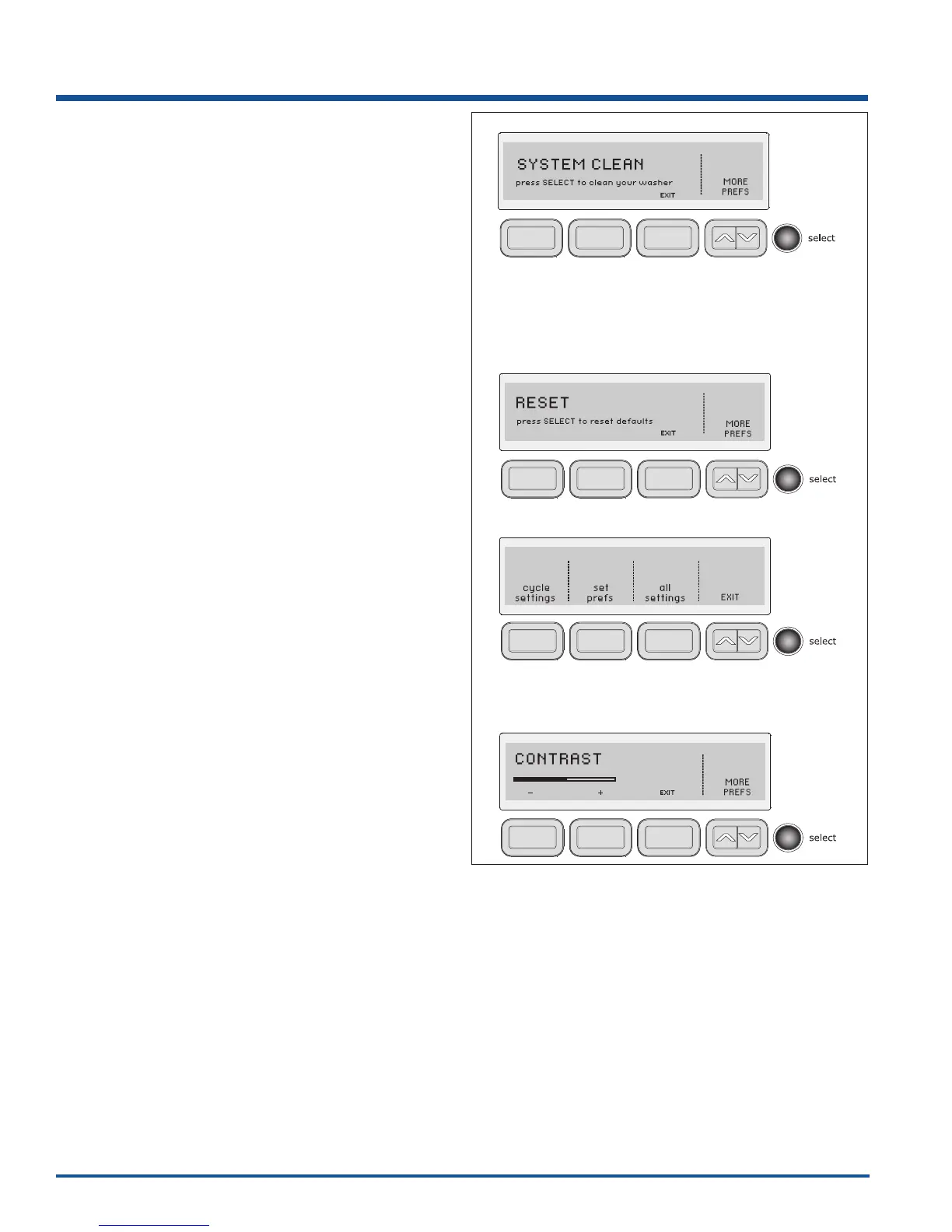
System Clean
To clean and freshen the washer, perform the SYSTEM
CLEAN cycle. If you wish to begin the cycle, press
select when prompted. The next screen will instruct you
to remove all items from the wash drum, fi ll the bleach
dispenser and press start. This maintenance cycle uses
hot water and two rinses to remove residue that may
cause odor.
The washer will automatically prompt you to run the
SYSTEM CLEAN cycle every 50 cycles. You may press
the button under EXIT to manually perform the cycle at
another time.
Reset (WaveTouch™)
Press the buttons indicated to restore only cycle
settings, reset only factory preferences (users, language,
brightness, volume, etc.) or restore all factory defaults
(both cycle settings and factory preferences). Press the
button under EXIT to return to normal operation or press
the cancel button to turn the washer off without making
any changes. If you do not make a selection within
30 seconds the washer will return to normal operation
without any changes. If you reset all settings, “INSTALL
CYCLE” will be displayed as though the washer were
just turned on for the fi rst time. Press the button under
CANCEL if you do not wish to rerun the INSTALL CYCLE.
Reset (IQTouch™)
For IQTouch™ models, wake machine, push the spin
speed and soil selection keys simultaneously and hold
until you hear a beep.
Contrast
Press the button beneath plus (+) or minus (-) symbols to
increase or decrease the contrast of the display. Press
select to accept the change or press the button under
EXIT to return to normal operation without any changes.




 To Next Page