Appendix B: Web User Application
44
iConnect User Manual
thesystemandallthedetectorsareworkingproperlyandthereareno
eventstoreport).
2. Itispossibletocheckiftherewerealarmsinthesystem–seep.52,History.
System Users and Codes
Inthisareayoucanadd,delete, orchangeusersandtheUserCodesforyoursystem(for
example,addcodesforfamilymembers).
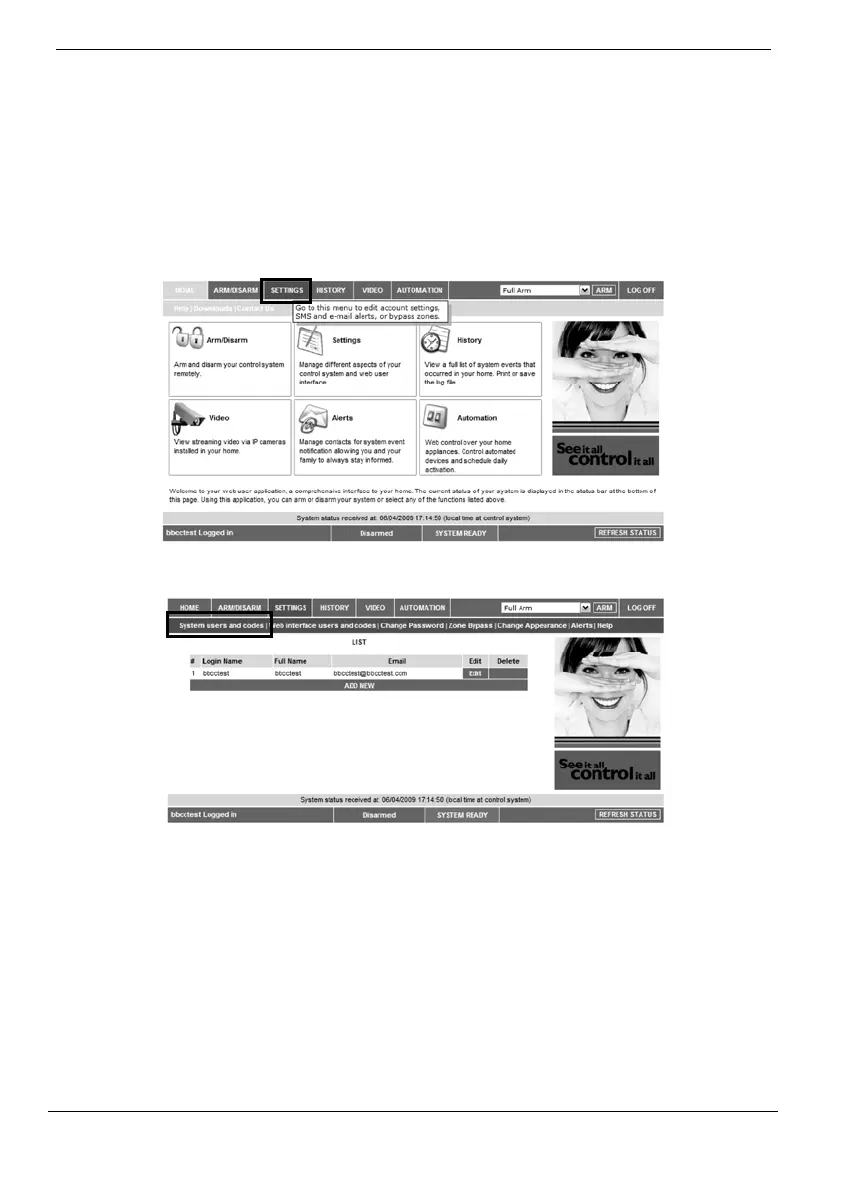
1. OnTheMainPagemenu,clickSettings.
2. ClickSystemUsersandCodes,thefollowingpageappears:
Web Interface Users and Codes
The Users and Codes page provides a useful tool for managing your system’s users.
From this page you can add, edit and delete users as required. You can even issue
temporary(limited)codestogueststhatwillexpireafter24hours.
For further information on user codes and their various uses,
see p. 32,
7.3. User
Codes,Code29.
On The Main Page menu, click Settings, then Web Interface Users and Codes, the
followingpageappears:



 To Next Page