9MA10011 26/52
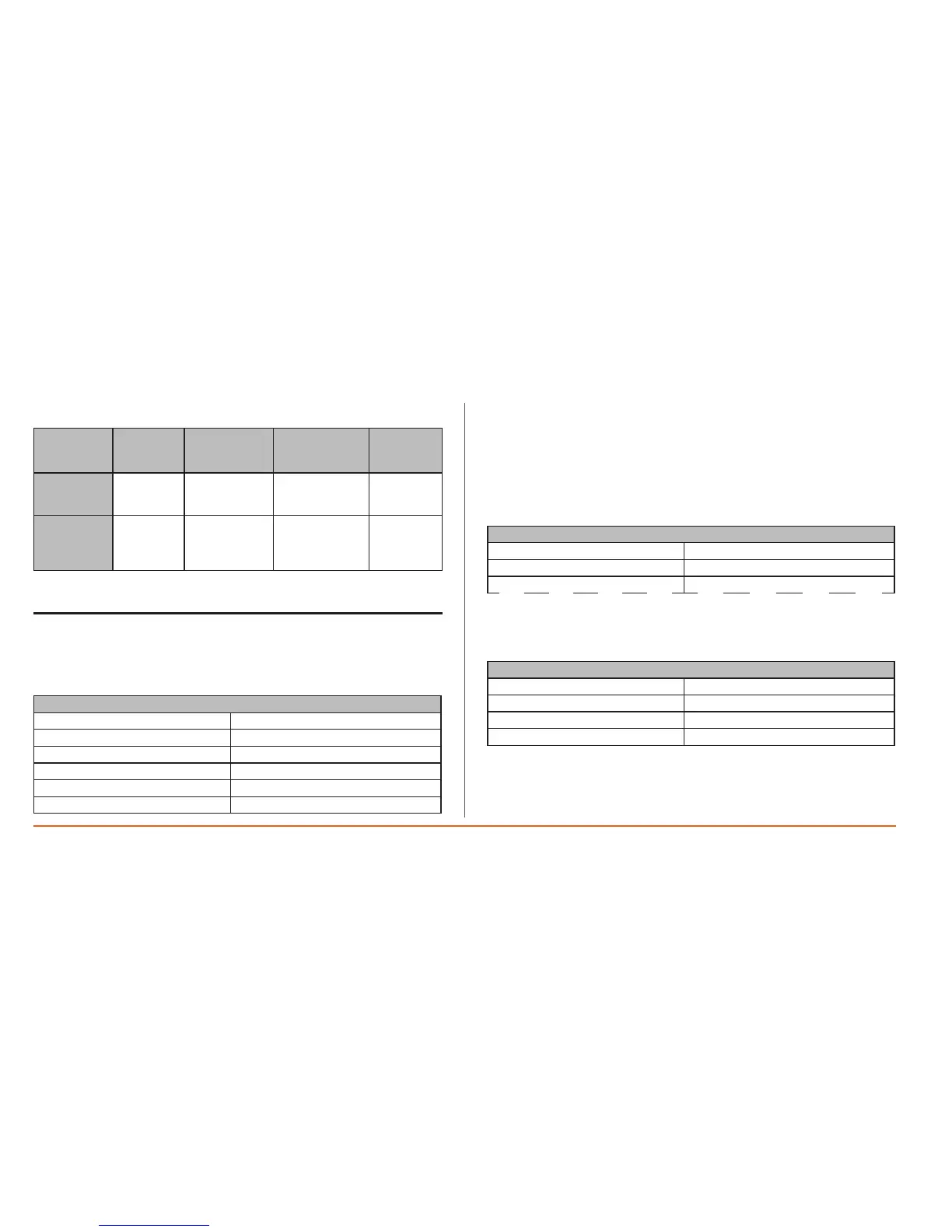
• Printfrequency(weeklyordaily).
Print data
interval
[Start End]
Print
resolution
Daily Datafor1
day
Time00:00
Selectedday
Time23:59
Selectedday
15min
Weekly Datafor
oneweek
Time00:00
Firstday
oftheweek(°)
Time23:59
Lastday
oftheweek(°)
2h30sec
• (°)Iniziosettimana(seDomenicaoLunedì)
• Stamparuotatadi180°
6.4 Data Menu
Print jobs can be started/suspended the printer configured from the following
menus:
6.4.1 Menu 2.0 Periods
2.0 REC PERIODS
02/06/07 ->02/06/07
04/06/07 ->05/06/07
10/06/07 ->10/06/07
13/06/07 ->20/06/07
22/06/07 ->24/06/07
24/06/07
Menu2.0 Periodsdisplays allsaved datafor print previewpurposes alongwith
associatedrecordingintervals.
Start recording time (Rec On) is indicated on the left, and end recording time
(RecOff)ontheright.
N.B.: If the device is currently recording data, the last line will have a start
recording date but not an end recording date. Up to 7 recording periods are
displayed.
6.4.2 Menu 2.1 Display
2.1 TEXT ON DISPLAY
2.1.0 Onboardresources
2.1.1 Network1
2.1.2 -------------------
Menu2.1Displayenablesyoutoviewdataforanonboard/networkresourcein
graphformat.
Forexample,selectthe2.1.0OnboardResourcesmenu:
2.1.0 TEXT ON BOARD
Startdate:
YYYY/MM/DD 2007/05/24
Day
>>>
• Selectthestartrecordingdate.
• Thedisplayperiodisdaily(Daylabelcannotbemodied):
displayfrom00.00ontheselecteddateto23.59onthesameday.
• >>>Movetothenextpagetoselecttheinputandconrmthedisplayrequest.


 To Next Page