9MA10011 8/52
2.2 Led and Display
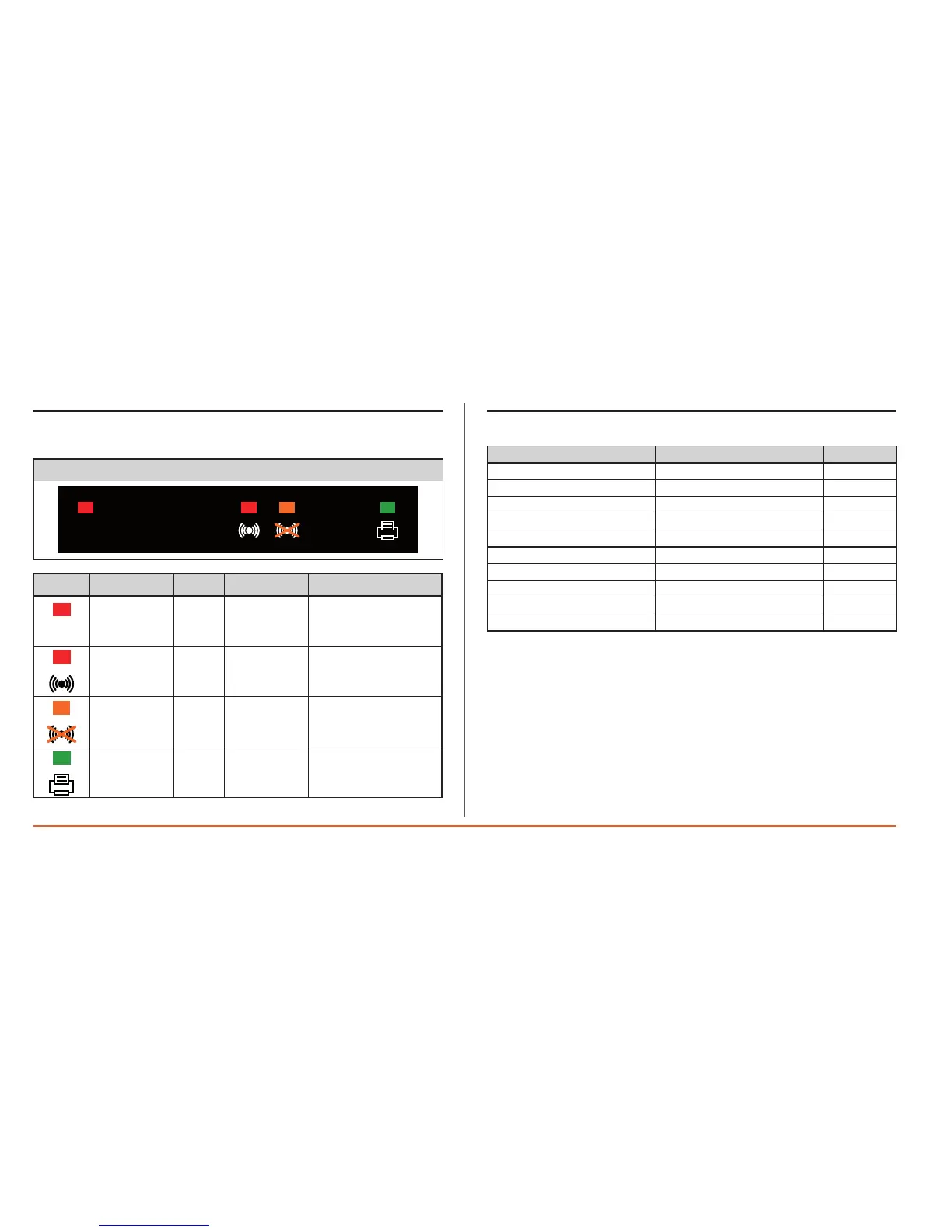
Thereare4icons(LED).
LEDs
Icon Colour
Permanently on
Blinking
Joggingdata Red
Datalogging
ACTIVE
//
Alarm Red
ActivealarmsNOT
acknowledged
Activealarms
acknowledged
Alarms
acknowledged
Amber
Acknowledge
timerunning
//
Print Green
Printsuspended
/failed
Printing
2.3 Main display
dd/mm/yy hh:mm
ONBOARD–P1
4.5
|
ONBOARD–P2
5.0
|
ONBOARD–P3 18.3- |
ONBOARD–P4 20.4- |
ONBOARD–P5 18.6- |
ONBOARD–P6 18.4- |
ONBOARD–P7
2.0
|
ONBOARD–P8 2.3- |
ONBOARD–DI Notactive |
ONBOARD–D2 Notactive
TheMainDisplayontheLCD(whennokeyspressed)havebeen:
• Dateandcurrenttime(dd/mm/yyandhh:mmformatsrespectively).
• Listofprobevaluesand/ordigitalinputstates.
• Thefollowingsymbolsmayappearbesidetheprobevalue:
•–valuewithinlimits
•High alarm
•Low alarm
Intheeventofanalarm,therelativevaluewillbeshown.
The display can be xed or with automatic scrolling enabled (see section 5.0
Display).
Intheexample,thereare8analogueinputsmarkedwithlabelsP1,P2,…P8and
2digitalinputsD1,D2.


 To Next Page