9MA10011 34/52
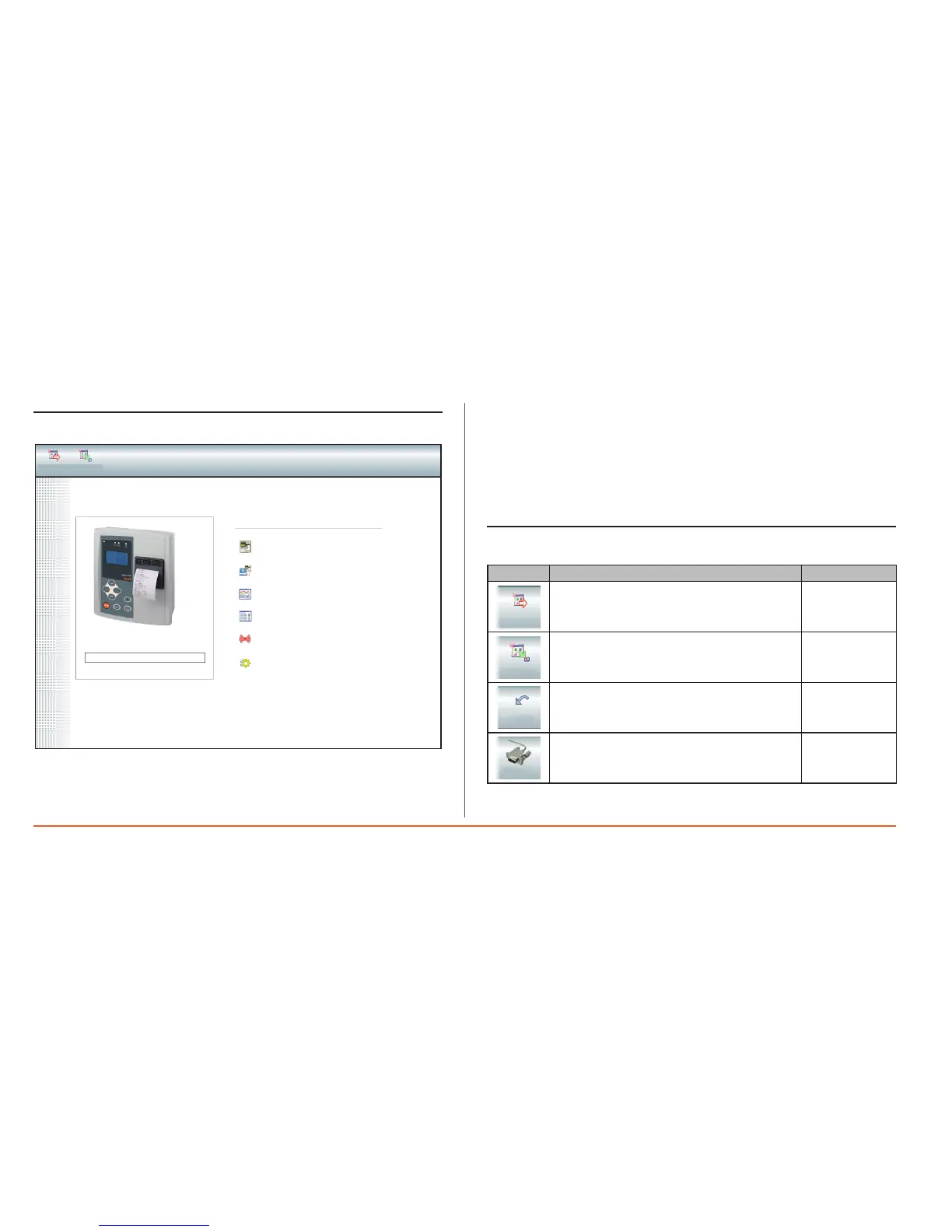
8.5 Opening screen
Fromtheopeningscreen,youcan
a)Openthefollowingpages:
• List of plants:tochoosewhichplanttodownloadinformationfrom.
• Download data:toestablishaconnectionbetweenthePCandMemory1000
• Graphs/Tables:togenerategraphs/tablesfromdatadownloaded.
• Historical alarm log:listsallalarmsrecordedbyMemory1000inthe
selectedperiod.
• Control panel:configurationparameterstoexportdataandselectionof
applicationlanguage.
b)Exitprogram
8.6 Barra di navigazione
Icon Description Screen
Escape
Exitprogram
(Log-out)
starting
Minimize
Toreducetoanicon
All
Go back
Gobacktothepreviousscreen
Allexceptfrom
thestarting
screen
Connect
ConnectMemory1000toPC
Serialdata
Quit
Minimize
Back
Connect
Main Functions
Plant List
Download
Chart
Table
Alarm History
Control Panel
Serial Number:
Quit Minimize


 To Next Page