18
W450321A 09/12
5.2 Entering the Calibration Mode
Follow these steps to ensure proper calibration of the Element unit. The actual crane setup must be
reflected on the display. Check the Greer Element Operator’s Manual for proper setup of the display
unit.
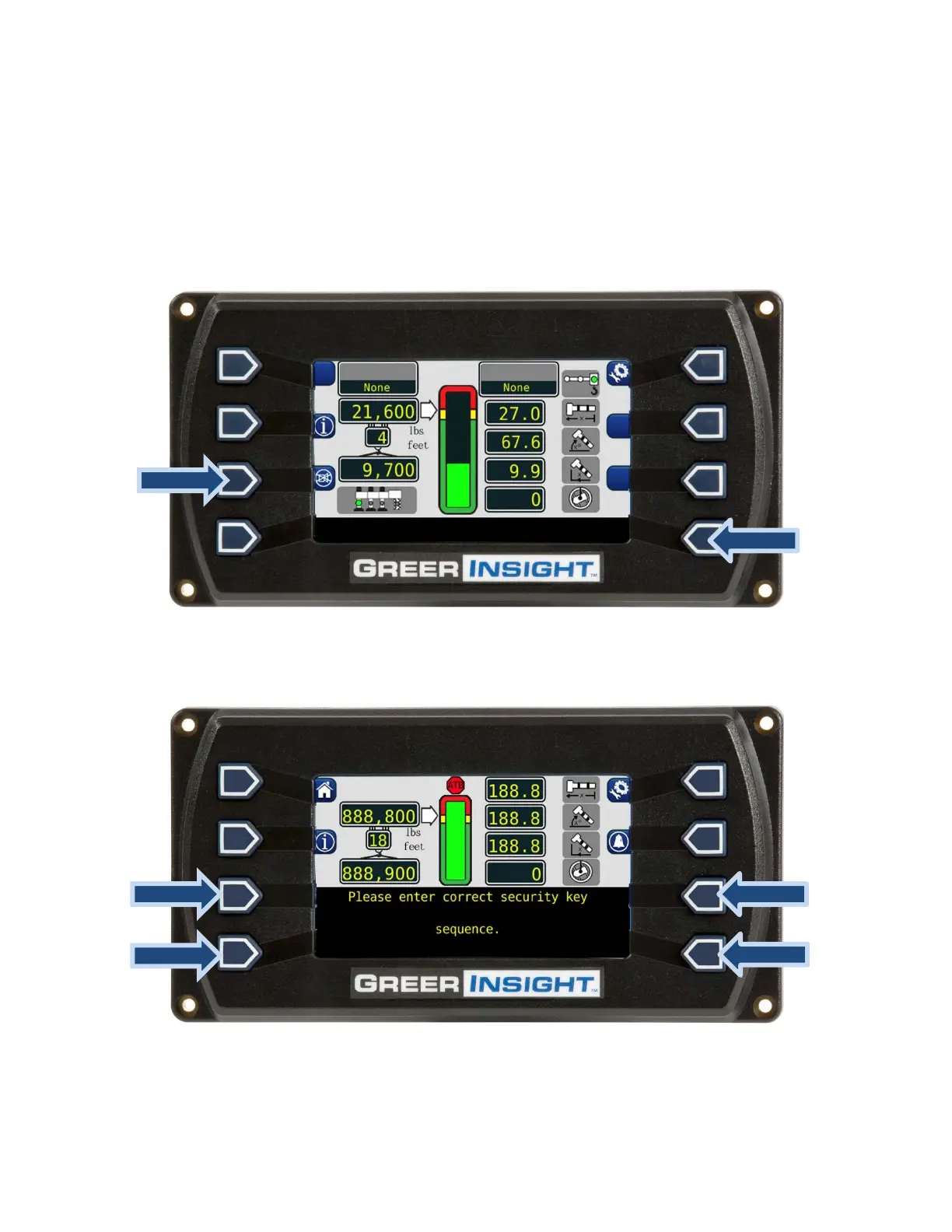
1. To enter Calibration Mode, the display must be in “Normal Operating” mode as shown below.
2. Press and hold the indicated buttons simultaneously until the display prompts the user for the
security code.
3. Enter the Security Code within 5 seconds, or the system will revert to the “Normal Operating”
mode. The numbers in parenthesis indicate the correct order to press the buttons.



 To Next Page