11
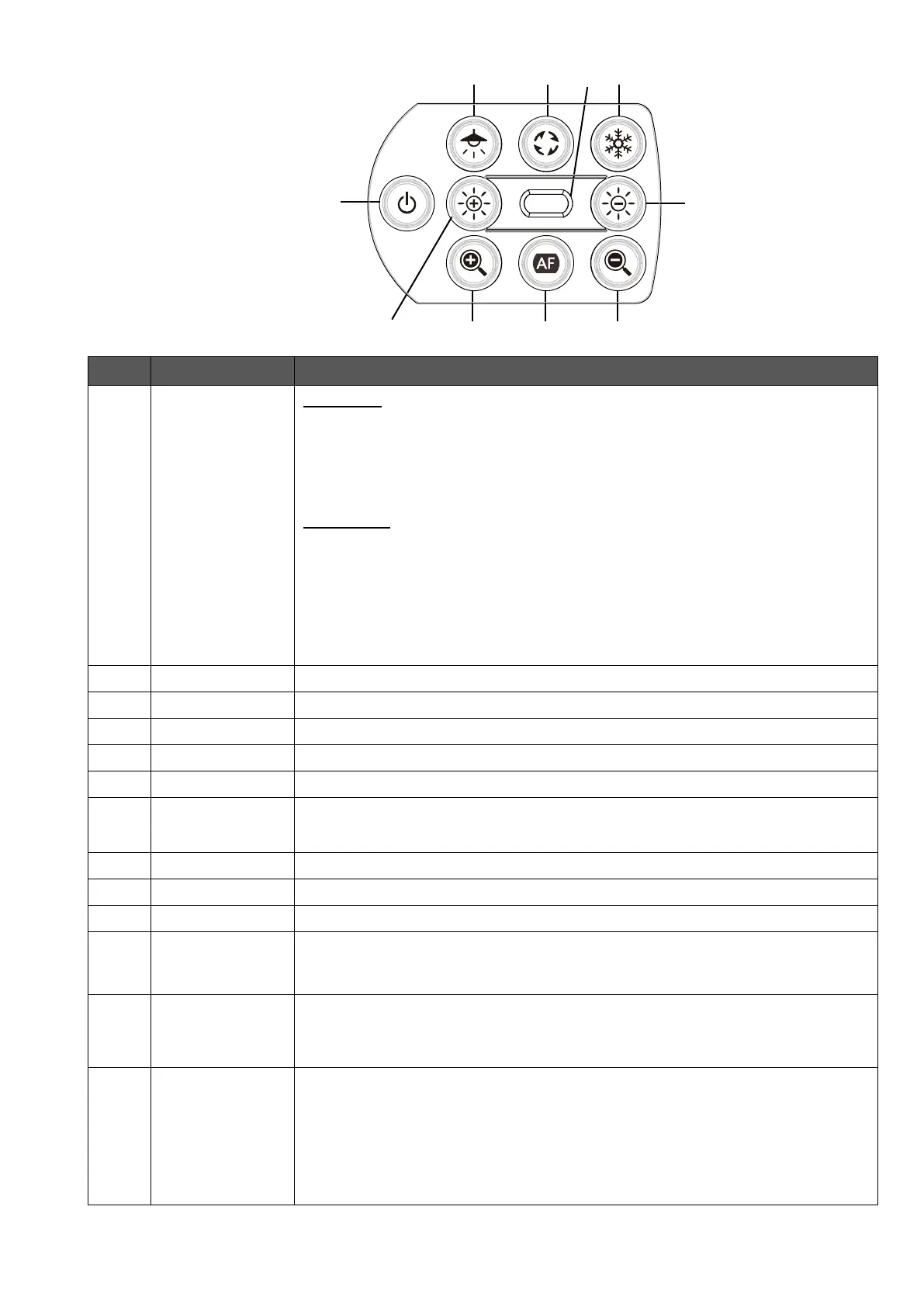
◆OPERATING PANEL
Power ON
The product enters the standby status in 5 – 10 seconds after the DC
power cord is connected to the product.(LED:Red)
To turn on the product, press the Power button. The LED turns blue and the
product starts to output images from HDMI port or RGB port.
Power OFF
To turn off the product, press the Power button again. The LED turns red
and the product returns to the standby status.
※The Power button is disabled when the power is supplied through the
USB cable only.
Power supply via USB2.0=LED:Green
Power supply via USB3.0=LED:Blue
Initialization of
the brightness
To initialize the brightness level by pressing ⑤ and ⑥ together.
To on or off the LED lighting.
To rotate the image.(0°/180°)
To pause or restart the image.
To indicate the status of the product.
For details, refer to “◆ Status LED”(⇒P.12).
To turn on or off the audio by pressing ③ and ⑥ together for 3 seconds.
※Available only during UVC output.
To initialize the product settings by pressing ⑦ and ⑨ together while
supplying the power through the USB cable.
(The DC power cord is not connected.)
The Status LED starts to flash blue. Then disconnect the USB cable and
the product returns to factory default.



 To Next Page