EasyManua.ls Logo

Elmo MX-P2 - Status LED Indicators; Cable Connections

Elmo MX-P2
27 pages
Print Icon
To Next Page IconTo Next Page
To Previous Page IconTo Previous Page
Loading...
12
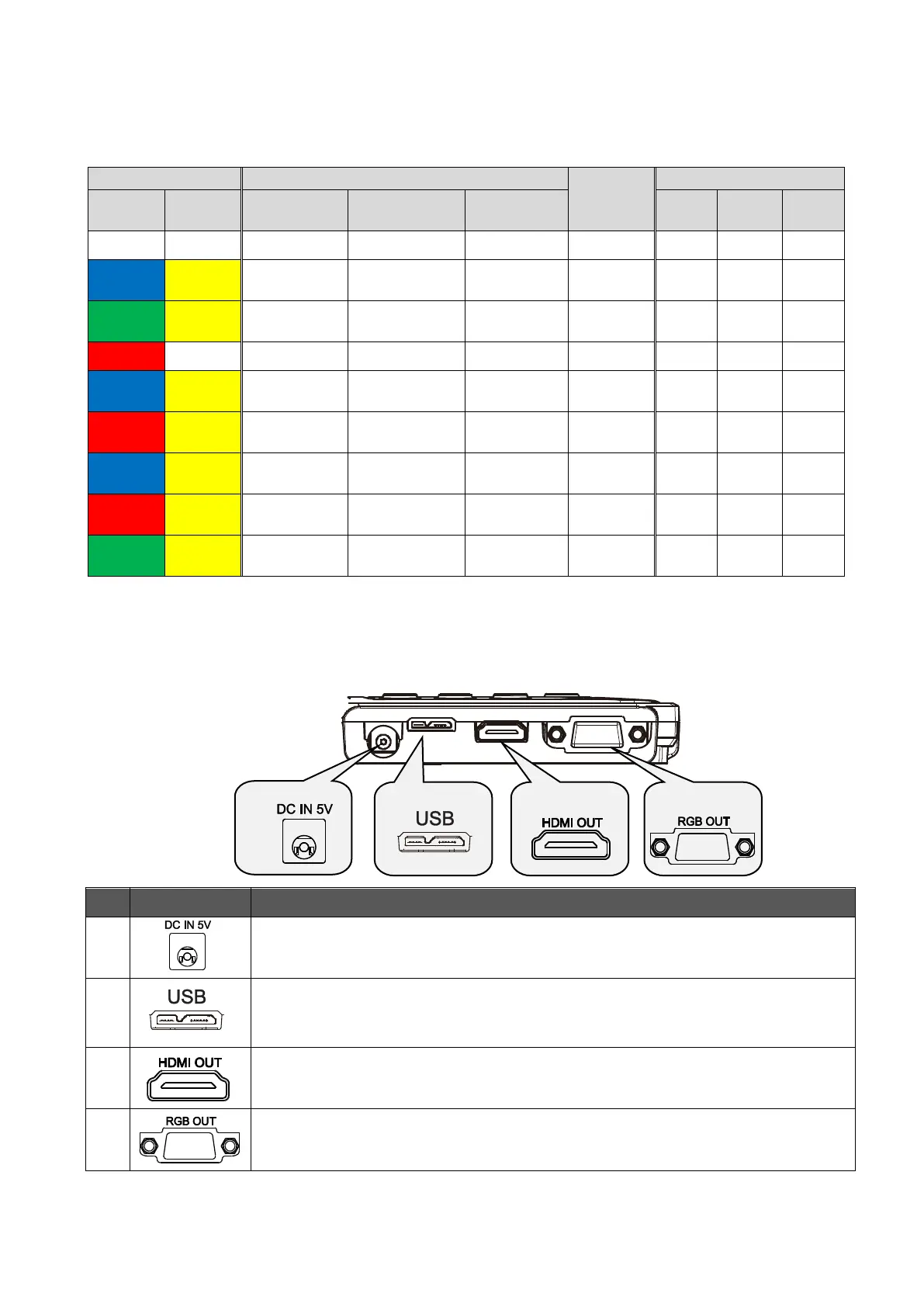
STATUS LED
The connection status of the AC adapter, USB 3.0 cable or USB 2.0 cable, power supply status,
or image output status can be checked with the Status LED.
Status LED
Power supply
Power
Button
Image output
Freeze
OFF
Freeze
ON
AC adapter
USB
Power
supply
USB
HDMI
RGB
Off
Off
Off
Off
Off
Disabled
×
×
×
Blue
Flash
Yellow
Off
On(USB3.0)
USB
Disabled
×
×
Green
Flash
Yellow
Off
On(USB2.0)
USB
Disabled
×
×
Red
Off
On
Off
AC adapter
OFF
×
×
×
Blue
Flash
Yellow
On
Off
AC adapter
ON
×
Red
Flash
Yellow
On
On(USB3.0)
AC adapter
OFF
×
×
Blue
Flash
Yellow
On
On(USB3.0)
AC adapter
ON
Red
Flash
Yellow
On
On(USB2.0)
AC adapter
OFF
×
×
Green
Flash
Yellow
On
On(USB2.0)
AC adapter
ON
The Status LED stays off until the product starts up after the power is on.
CABLE CONNECTION
Mark
Description
To connect the supplied DC power cord.
To connect a computer and the product to save images.
(USB3.0 cable is included in the package.)
Max. resolution 434160×3120 1693840×2160
To output digital images by connecting to a monitor via the HDMI cable.
(The HDMI cable is not included.)
To output RGB images by connecting to a monitor via the RGB cable.
(The RGB cable is not included.)


Other manuals for Elmo MX-P2

Related product manuals