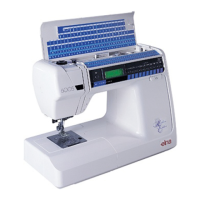
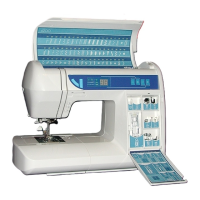
Elna International Corps. SA 6004 Service manual
TEST PROGRAM
TEST TEST OPERATION CORRECT CONDITION DEFECT CONDITION
1. LCD et LED
Test.
Tum on the power switch
while pressing the «
Reverse » button, and within
2 seconds the«VISUAL»
button.
1. Buzzer sounds.
2. The LCD displays:
PH SENSOR
3. The Twin Needle LED
will go on only when the
Needle Bar is in the low
position and the VISUAL
LED will go on only when
the Needle Bar is in the
up position.
Test Mode is not activated.
1. Replace Circuit Board F
and recheck the machine
1. Replace Circuit Board K
and recheck the machine
2. Replace Circuit Board A
and recheck the machine
2. Button Test After test (1) has been
completed, press the
«VISUAL« button to get to
the Button Test mode.
Press the button from left to
right in the following
séquence: «Reverse, Auto-
Lock, Needle Up/Down,
Visual, Stitch Width + and -,
Stitch Length + and -,
Message and from left to
right all the key on the key
Board, starting with key
number 10
1. Buzzer sounds
2. The LCD displays:
KEY
3. Each time a button is
pressed, the buzzer will
sound.
If the Buzzer does not
sound when a button is
pressed:
1. Replace Circuit Board F,
and recheck the machine
2. Replace Circuit Board K
and recheck the machine
3. Replace Circuit Board A
and recheck the machine
3. Buttonhole
sensor Test
After test (2) bas been
completed, press the
VISUAL button to get to the
BH Sensor Test mode.
1. Pull down the
Buttonhole lever.
2. Move the Buttonhole
lever forward and
backward.
1. Buzzer sounds.
2. The LCD panel display:
BH SENSOR
3. The Twin Needle LED will
be on when the BH lever
is in the middle position,
and will go off when the
lever is moved forward or
backward.
No display, or not working
correctly:
1. Replace the BH Sensor
unit, and recheck the
machine.
2. Replace Circuit Board K
and recheck the machine.
3. Replace Circuit Board A
and recheck the machine.
4. Bobbin Winder
Switch Test
After test (3) has been
complétée, press the
VISUAL button to get to the
bobbin Winder Switch Test
mode.
1. Move Bobbin Winder
Spindle to the right and
left position.
1. The LCD panel display:
SPOOL
2. Each time the Bobbin
Winder Spindle is moved
from one position to the
other, the Buzzer sounds
No display, or not working
correctiy:
1. Replace Circuit Board K
and recheck the machine.
2. Replace Circuit Board A
and recheck the machine.
5. Upper Shaft
Positionning
Sensor Test
After test (3) has been
completed, press the
VISUAL button to get to the
Upper Shaft Sensor Test
mode.
1. Tum the hand wheel to
position the Needle Bar
altemately at the
highest, and the lowest
positions.
1. Buzzer sounds.
2. The LCD panel display:
PH SENSOR
3. The Twin Needle LED will
go on only when the
Needle Bar is in the low
position, and the VISUAL
LED will go on only when
the Needle Bar is in the
up position.
The LED's do not go on in the
correct séquence, or they stay
on or off regardless off the
position of the Needle Bar:
1. Replace the Upper Shaft
Sensor Unit, and recheck
the machine.
2. Replace Circuit Board A
and recheck the machine
Page 28


 To Next Page