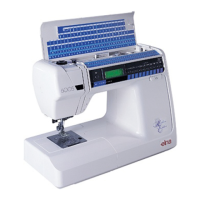
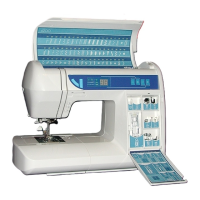
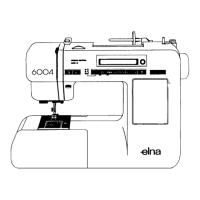
Elna International Corps. SA 6004 Service manual
TEST PROGRAM
TEST TEST OPERATION CORRECT
CONDITION
DEFECT CONDITION
6. Zigzag Step motor
Test
After test (5) has been
completed, press the
«Visual» button to get to the
Zigzag Step Motor Test
Mode.
1. Tum the hand wheel to
position the Needle Bar
in its highest position.
1. Buzzer sounds.
2. The LCD displays:
"BIGHT MOTOR".
3. The Zigzag Step Motor
moves the needle bar
to the default position.
No display, or the Zigzag
Motor does not move the
Needle Bar to the default
position.
1. Replace the Zigzag Step
Motor Unit, and recheck
the machine.
2. Replace Circuit Board A,
and recheck the machine.
7. Feed Step motor
Test.
After test (6) has been
completed, press the
«Visual« button to get to the
Feed Step Motor Test mode.
1. Turn the hand wheel to
position the Needle Bar
in its lowest position.
1. Buzzer sounds
2. The LCD displays:
FEED MOTOR
3. The Feed Step Motor
moves the Feed Dog to
the default position.
No display, or the Feed Step
Motor does not move the Feed
Dog to the default position:
1. Replace the Feed Step
Motor Unit, and recheck
the machine
2. Replace Circuit Board A
and recheck the machine
8. Foot control Test After test (7) has been
completed, press the Visual
button to get to the Foot
Control Test mode.
1. Press the Foot Control
all the way to max.
speed position, and
then release it.
1 Buzzer sounds.
2 The LCD panel display:
CONTROLLER
3 The buzzer sounds
when thé Foot Control is
fùlly pressed down, or
fully released.
The buzzer does not sound at
all, or only in one of the two
test positions.
1 Replace the Foot control,
and recheck the machine.
2 Replace the Machine
Socket Unit, and recheck
the machine.
9. Speed Control
Slide Test.
After test (8) has been
completed, press the Visual
button to get to the Speed
Control Slide Lever Test
mode.
1 Move the speed Control
Slide Lever from side to
side, (alternating
between max. and min.
speed settings).
1. Buzzer sounds.
2. The LCD panel display:
VOLUME
3. The buzzer sounds each
time the Speed Control
Slide Lever reaches the
Max. or Min. position.
The buzzer does not sound at
all, or only in one ofthe two test
positions.
1. Replace Circuit Board K
and recheck the machine.
2. Replace Circuit Board A
and recheck the machine.
10. Main Motor Test After test (8) has been
completed, press the Visual
button to get to the Main
Motor Test mode.
1. Press the « Mode »
button.
1. Buzzer sounds.
2. The LCD panel display:
DC MOTOR
3. The machine starts at
slow speed, then shifts
to high speed, and
stops with the Needle
Bar in its highest
position.
The machine runs at uneven
speed, or the Needie Bar does
not stop in its highest position.
1. Replace the Main Motor
Unit, and recheck the
machine.
2. Replace Circuit Board A
and recheck the machine.
If problems other than above:
1. Replace Main Motor, and
recheck the machine
2. Replace circuit board C,
and recheck the machine.
3. Replace the Transformer
Unit, and recheck the
machine
Page 29


 To Next Page