Chapter 3 55
Removing the Keyboard
NOTE: The model displayed in this service guide may differ in color to the one in your package.
1. See “Removing the Battery Pack” on page 53.
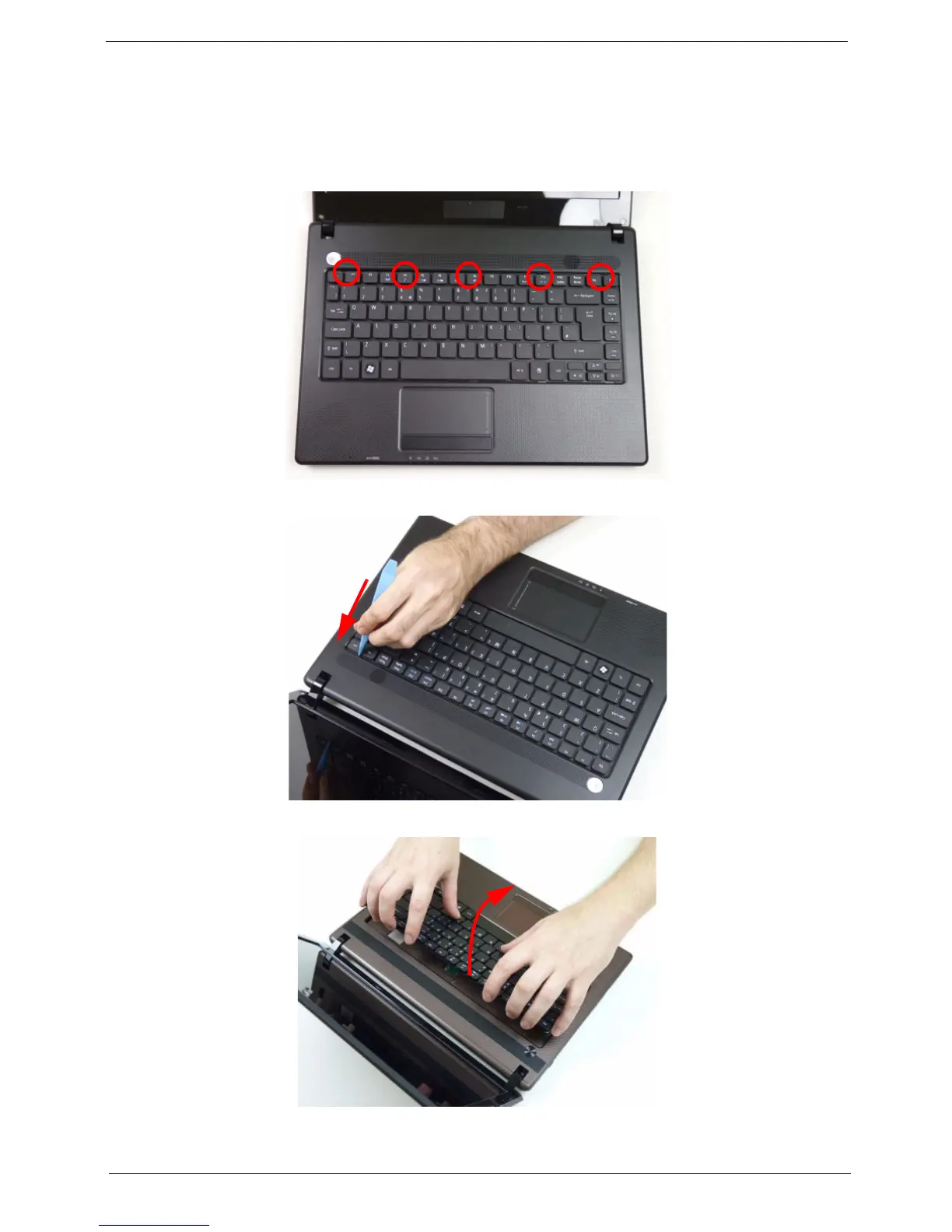
2. Turn the computer over and fully open the lid. There are five (5) securing clips that must be released in order to
remove the keyboard.
3. Release each clip, working from one side to the other.
4. Using both hands, gently pry up the keyboard as shown and turn it over onto the palm rest.














 To Next Page