6 Chapter 1
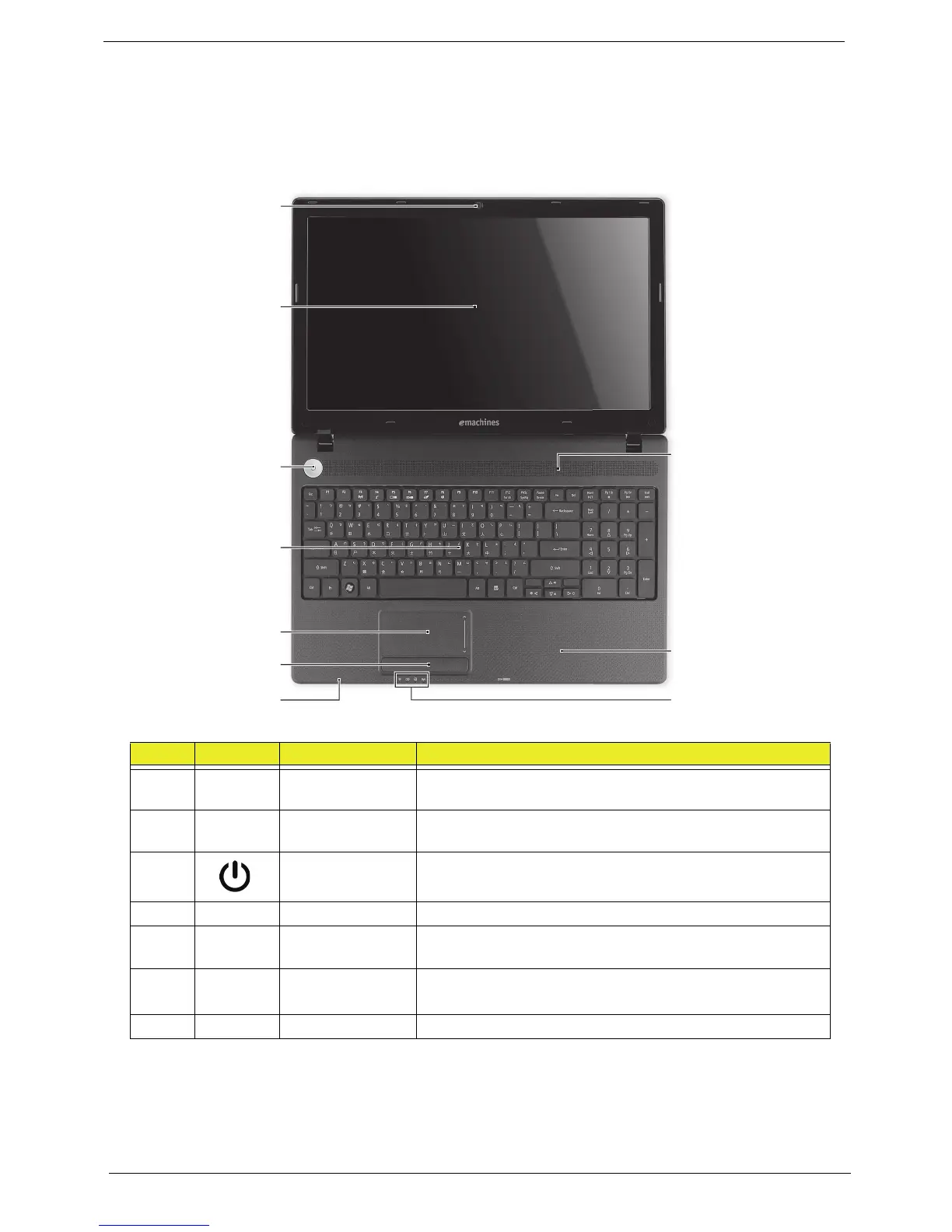
Your Acer Notebook tour
Top View
# Icon Item Description
1 Integrated
webcam
Web camera for video communication (only for certain
models).
2 Display screen Also called Liquid-Crystal Display (LCD), displays computer
output (configuration may vary by model).
3 Power button Turns the computer on and off.
4 Keyboard For entering data into your computer
5 Touchpad Touch-sensitive pointing device which functions like a
computer mouse.
6 Click buttons
(left, and right)
The left and right buttons function like the left and right
mouse buttons.
7 Microphone Internal microphone for sound recording.














 To Next Page