Chapter 3 77
Removing the Camera (CCD) Module
1. See “Removing the LCD Bezel” on page 77.
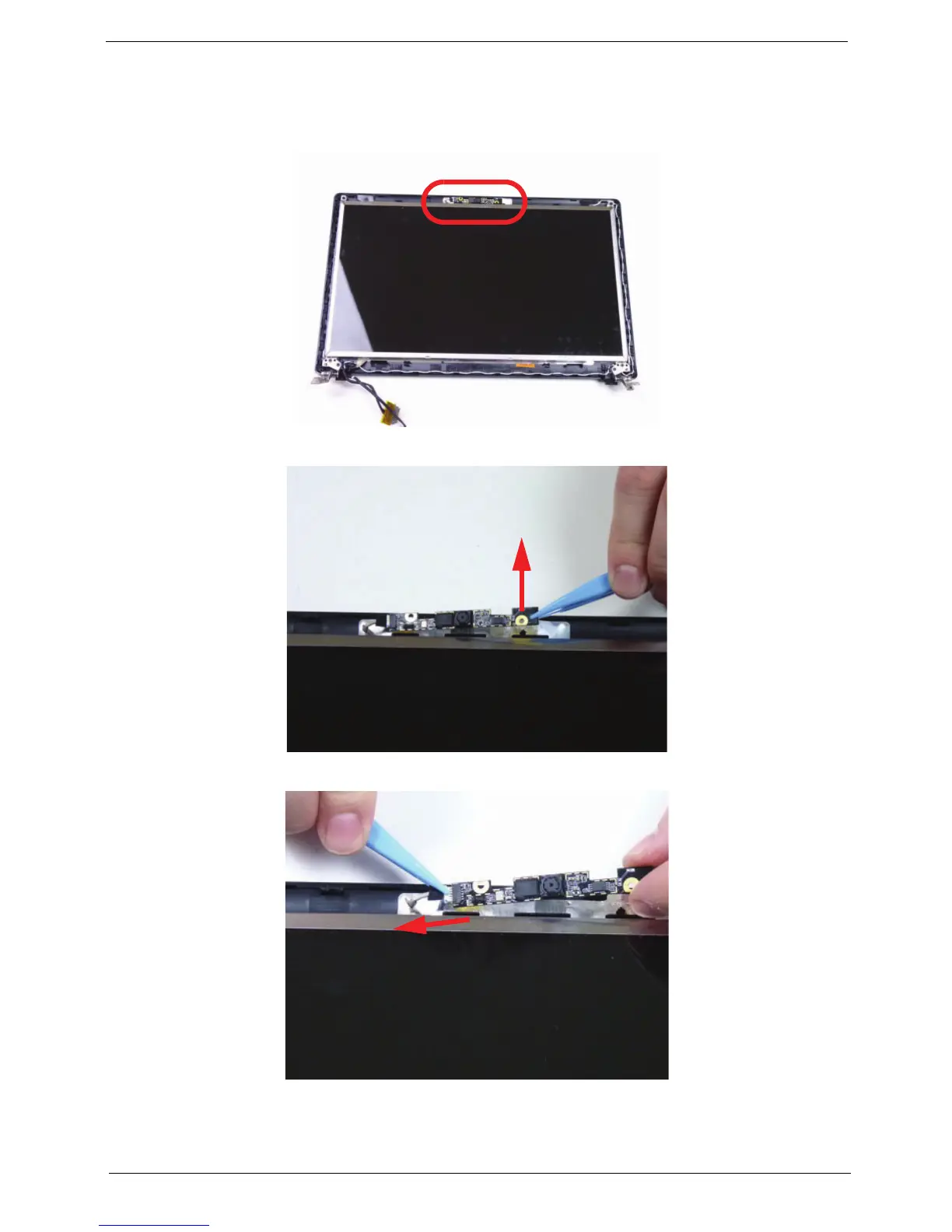
2. Locate the CCD module on the LCD cover.
3. Lift the CCD module from the LCD cover.
4. Disconnect the cable as shown.
NOTE: Take care not to damage the cable.














 To Next Page