8 • iPro I/O Module Installation and Operation Manual 026-1741 Rev 0
1.9 Visograph Display
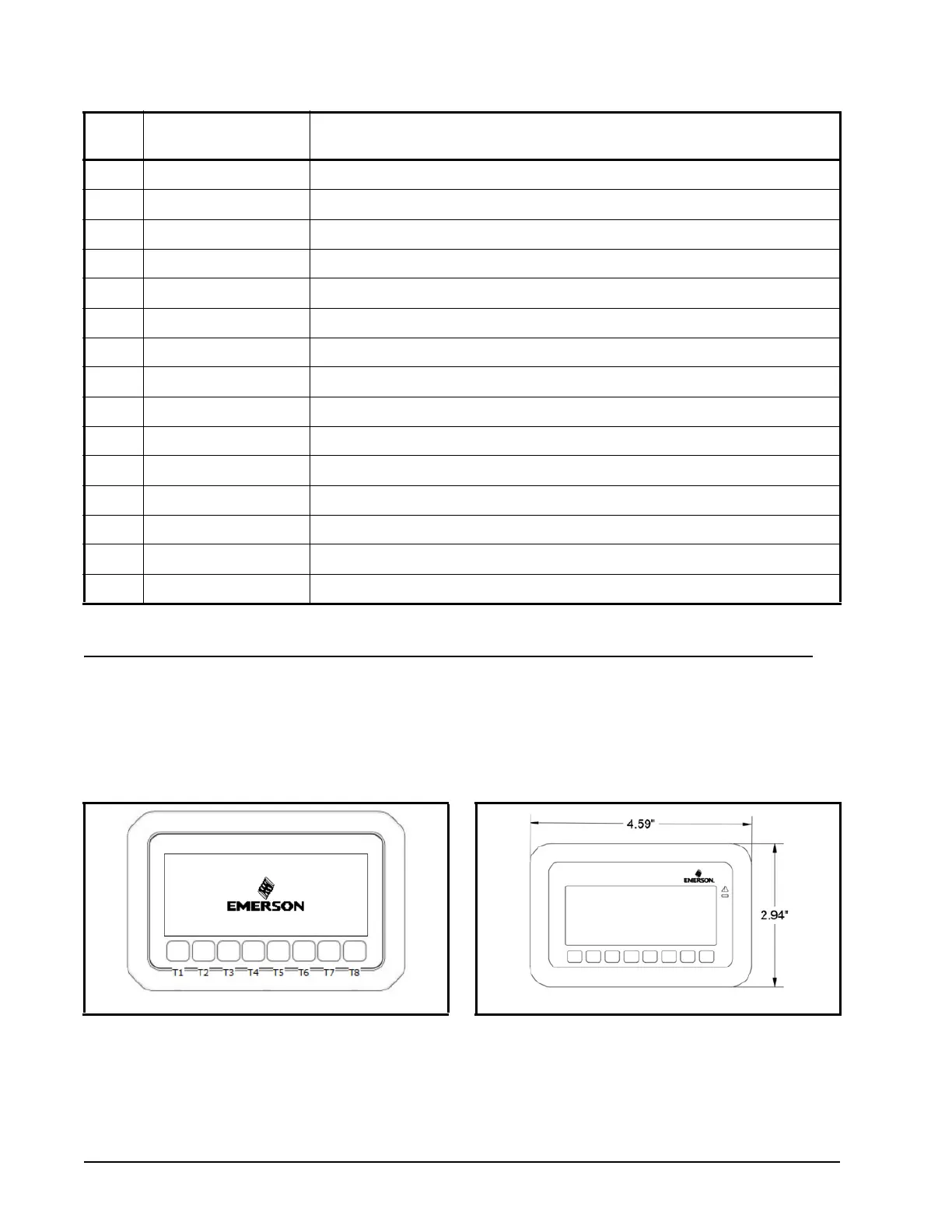
The local user interface for the I/O Module is the Visograph 2.0 V2IPG. The Visograph is an LCD display with eight (8)
keys (labeled T1-T8) on a membrane keyboard. Visograph is used to configure BACnet MS/TP settings, perform backups,
perform restores and view the status of inputs and outputs. Input and output configuration is performed from the E2E.
In most situations the Visograph is factory-mounted and wired inside an Emerson control panel.
93 C Voltage free contact (6A Max)
94 RS485 Master RS485 Master connection (-)
95 RS485 Master RS485 Master connection (+)
96 RS485 Master RS485 Master connection (insulated GND)
97 RS485 Slave RS485 Slave connection (-)
98 RS485 Slave RS485 Slave connection (-)
99 RS485 Slave RS485 Slave connection (insulated GND)
100 CAN Bus CAN Bus connection (+), not open
101 CAN Bus CAN Bus connection (-), not open
102 CAN Bus CAN Bus connection (insulated GND), not open
103 Remote Display Connection for VISOGRAPH remote terminal (Vnr)
104 Remote Display Connection for VISOGRAPH remote terminal (+)
105 Remote Display Connection for VISOGRAPH remote terminal (-)
106 Modem Reset NC relay input to reset an external modem (24VAC/DC)
107 Modem Reset NC relay output to reset an external modem (24VAC/DC)
Input
No.
Type of Input Description
Table 1-7 - 4 DIN 208D Input Connector Descriptions
Figure 1-3 - Visograph Front Display With Labeled Keys
Figure 1-4 - Visograph Dimensions


 To Next Page