Accessing Main Menu Navigating Visograph Display • 17
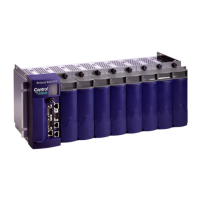
AO Shortcut
Press the T5 key to access the analog output status screen.
This screen displays the current signal voltage for all
analog outputs. If no analog outputs are defined from E2E,
a “not used” label will appear in place of the signal value.
CSW Shortcut
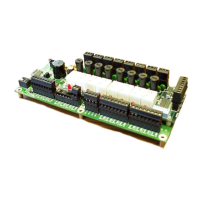
If there is at least one circuit override configured from
E2E, the CSW shortcut key will appear. Press the T6 key
to access the Circuit Override Status screen. This screen is
an overview of the refrigeration circuit overrides where up
to 30 overrides can be defined for 30 refrigeration circuits.
Use the T8 key to page over through the overrides.
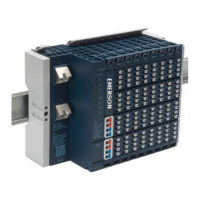
ALARM Shortcut
If there is at least one (1) alarm present in the system, the
alarm shortcut will become visible. Press the T8 key to
enter the Alarms screen. This screen gives a list of all
currently active alarms.
3.2 Accessing Main Menu
To enter the Main Menu, the display must be on the
Analog Inputs screen shown in Figure 3-8. Press and hold
the T4 key for three (3) seconds and to access the menu.
Use the T4/T6 keys to move through the list of options
and the T5 SET key to enter a menu.
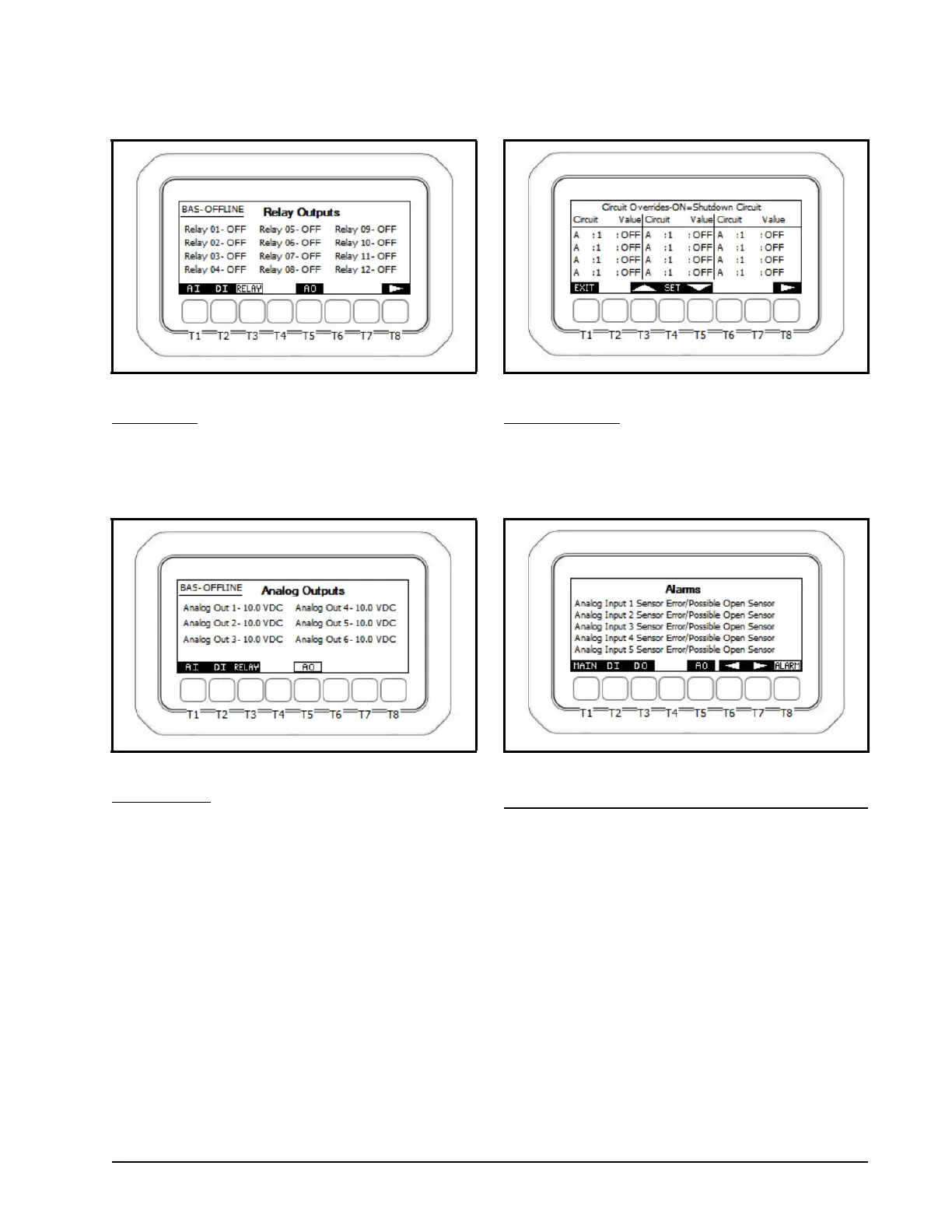
Figure 3-4 - Visograph Relay Output Screen
Figure 3-5 - Visograph Analog Output Screen
Figure 3-6 - Visograph Circuit Override Screen
Figure 3-7 - Visograph Alarms Screen


 To Next Page