Service Menu Navigating Visograph Display • 23
3. The controller will perform a reboot.
3.7.3 Re-initialize BACnet MS/TP
The Service menu has the option Rebuild BACnet Files
listed. When triggered, it forces the BACnet object list to
be rebuilt with what is programmed in the application, it
also resets all MS/TP parameters back to factory default
values. Under normal circumstances it is not necessary to
perform this action but it could be used in a
troubleshooting scenario if the need arises.
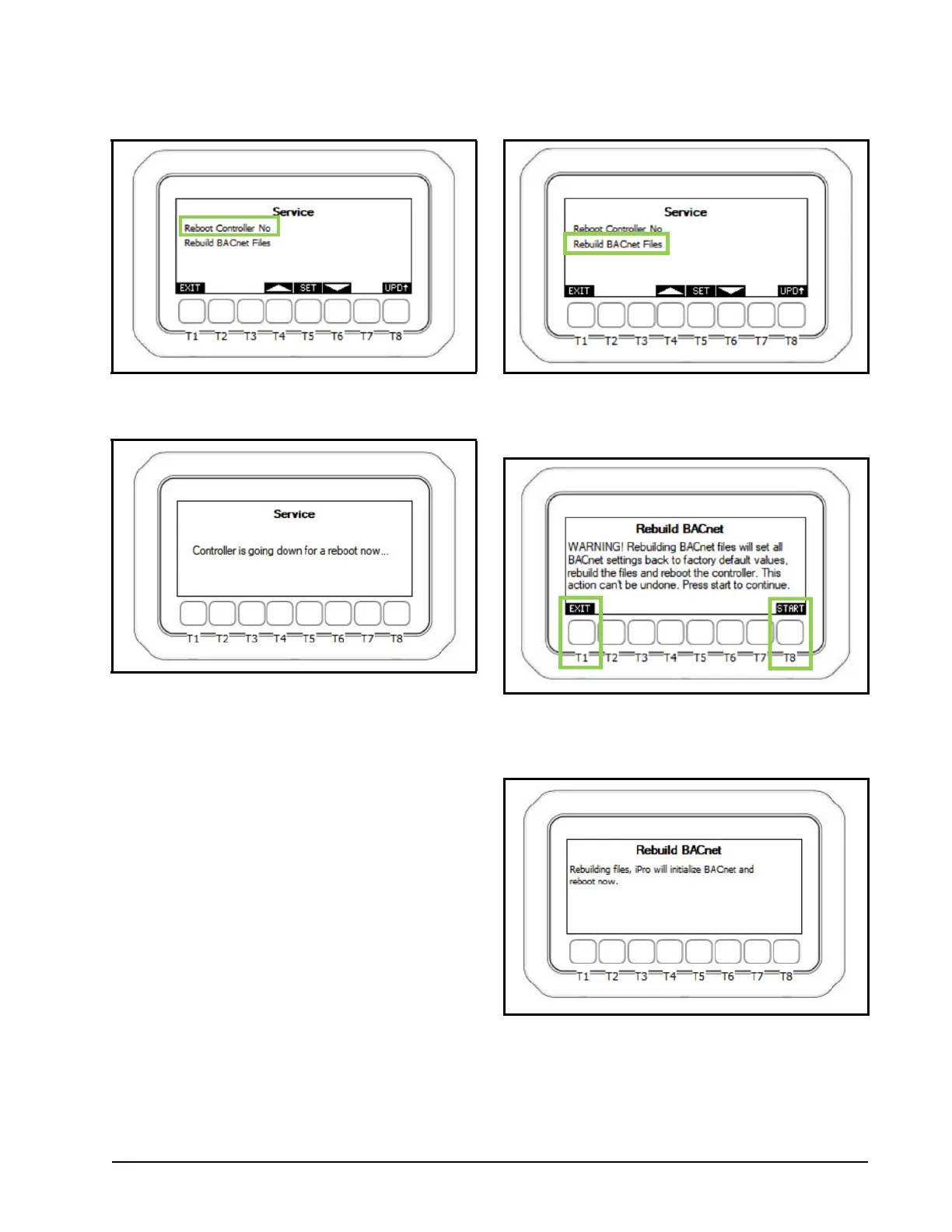
1. From the service menu using the T4/T6 keys,
move the cursor to the Rebuild BACnet Files
and press T5 SET to begin.
2. The warning message will be displayed, press T8
to continue the action or T1 to exit and abort.
3. Pressing T8 START will finalize the action and a
status message will be displayed.
Figure 3-26 - Visograph Service - Reboot Controller No.
Figure 3-27 - Visograph Service - Controller Reboot
Figure 3-28 - Visograph Service - Rebuikd BACnet Files
Figure 3-29 - Rebuild BACnet Warning Message
Figure 3-30 - Rebuilding BACnet Files


 To Next Page