8 Micro Motion
®
Model 2400S Transmitters with Analog Outputs
Using the Transmitter User Interface
Due to software and hardware restrictions, some English words and terms may appear in the
non-English display menus. For a list of the codes and abbreviations used on the display, see
Appendix D.
For information on configuring the display language, see Section 8.10.
In this manual, English is used as the display language.
2.5.2 Viewing process variables
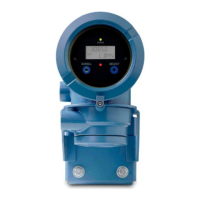
In ordinary use, the
Process variable line on the LCD shows the configured display variables, and
the
Units of measure line shows the measurement unit for that process variable.
• See Section 8.10.5 for information on configuring the display variables.
• See Appendix D for information on the codes and abbreviations used for display variables.
If more than one line is required to describe the display variable, the
Units of measure line alternates
between the measurement unit and the additional description. For example, if the LCD is displaying a
mass inventory value, the
Units of measure line alternates between the measurement unit (for
example,
G) and the name of the inventory (for example, MASSI).
Auto Scroll may or may not be enabled:
• If Auto Scroll is enabled, each configured display variable will be shown for the number of
seconds specified for Scroll Rate.
• Whether Auto Scroll is enabled or not, the operator can manually scroll through the configured
display variables by activating
Scroll.
For more information on using the LCD to view process variables or manage totalizers and
inventories, see Chapter 7.
2.5.3 Using display menus
Note: The display menu system provides access to basic transmitter functions and data. It does not
provide access to all functions and data. To access all functions and data, use either ProLink II or the
375 Field Communicator.
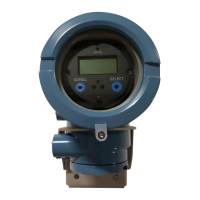
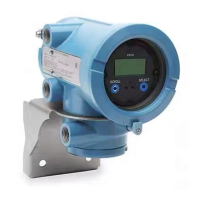
To enter the display menu system, activate
Scroll and Select simultaneously. Hold Scroll and Select
until the words
SEE ALARM or OFF-LINE MAINT appear.
Note: Access to the display menu system may be enabled or disabled. If disabled, the OFF-LINE
MAINT option does not appear. For more information, see Section 8.10.
For entry into certain sections of the display menu:
• If a password has been enabled, you will be prompted to enter it. See Section 2.5.4.
• If a display password is not required, you will be prompted to activate the optical switches in a
pre-defined sequence (
Scroll-Select-Scroll). This feature is designed to prevent unintentional
entry to the menu caused by variations in ambient lighting or other environmental factors.
If no optical switch activity occurs for two minutes, the transmitter will exit the off-line menu system
and return to the process variable display.
To move through a list of options, activate
Scroll.
To select from a list or to enter a lower-level menu, scroll to the desired option, then activate
Select. If
a confirmation screen is displayed:
• To confirm the change, activate
Select.
• To cancel the change, activate
Scroll.



 To Next Page