56 Micro Motion
®
Model 2400S Transmitters with Analog Outputs
Required Transmitter Configuration
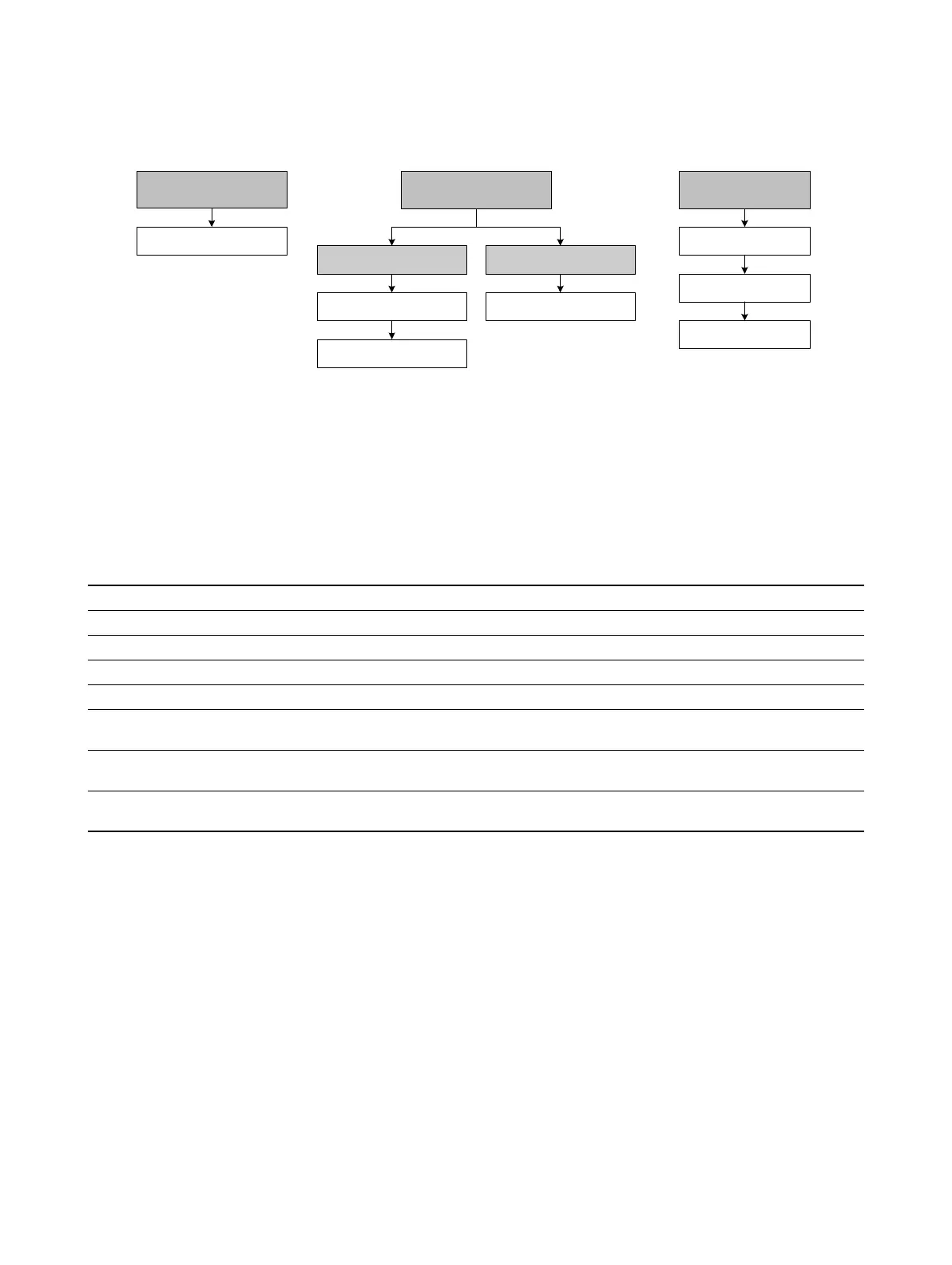
Figure 6-11 Configuring the discrete input
6.8.1 Assignment
If your transmitter has been configured for a discrete input, the actions listed in Table 6-21 may be
assigned to the discrete input. You may assign more than one action to the discrete input.
6.8.2 Polarity
Polarity controls which voltage levels are used to indicate the ON and OFF states of the input, as
described in Table 6-17.
Table 6-21 Discrete input assignments
Assignment ProLink II code
Communicator
code Display code
None (default) None None NONE
Start zero procedure Start Sensor Zero Start sensor zero START ZERO
Reset mass total Reset Mass Total Reset mass total RESET MASS
Reset volume total Reset Volume Total Reset volume total RESET VOL
Reset all totals Reset All Totals Reset all totals RESET ALL
Start/stop all totalizers Start/Stop All
Totalization
Start/stop totals START/STOP
Reset gas standard volume total Reset Gas Std
Volume Total
Reset gas standard
volume total
RESET GSVT
Start a meter verification test
(1)
(1) Requires Smart Meter Verification.
Start Meter
Verification
Not available START VERFY
Discrete Input
ProLink >
Configuration
IO
CH B
Off-line maint >
Off-line config
Set DI
6 DI/DO setup
1 Channel setup 1 Assign discretes
On-Line Menu >
5 Detailed Setup
3 Config outputs 7 Discrete actions
Communicator DisplayProLink II



 To Next Page