Configuration and Use Manual 39
Required Transmitter Configuration
Required Configuration Optional ConfigurationUsing the TransmitterFlowmeter Startup
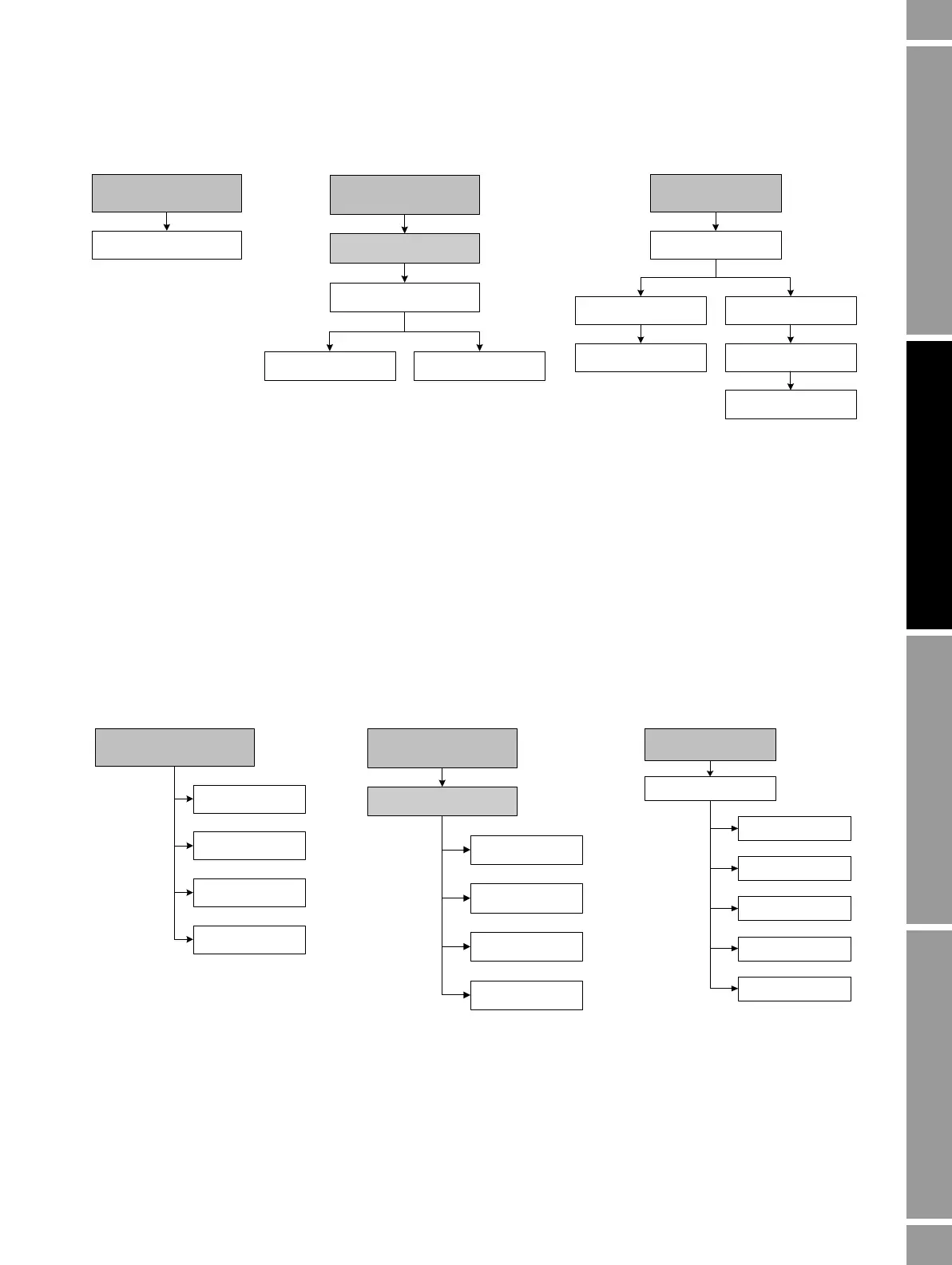
Figure 6-3 Configuring the channels
6.4 Configuring the measurement units
For each process variable, the transmitter must be configured to use the measurement unit appropriate
to your application.
To configure measurement units, see the menu flowcharts in Figure 6-4. For details on measurement
units for each process variable, see Sections 6.4.1 through 6.4.4.
Note: Pressure unit configuration is required only if you are using pressure compensation with
polling. See Section 9.2.
Figure 6-4 Configuring measurement units
6.4.1 Mass flow units
The default mass flow measurement unit is
g/s. See Table 6-2 for a complete list of mass flow
measurement units.
If the mass flow unit you want to use is not listed, you can define a special measurement unit for mass
flow (see Section 8.3).
Channel
ProLink >
Configuration
IO
CH B
Set MA / FO / DO / DI
Off-line maint >
Off-line config
CH A
Power
Power
1 Channel setup
2 Channel A setup 3 Channel B setup
On-Line Menu >
5 Detailed Setup
3 Config outputs
CommunicatorProLink II
Display
Density
Temperature
Flow
(1)
Pressure
ProLink >
Configuration
Units
Off-line maint >
Off-line config
Vol (or GSV)
Density
Mass
Temperature
Pressure
2 Density
3 Temperature
1 Flow
4 Pressure
On-Line Menu >
5 Detailed Setup
2 Config field dev var
Communicator DisplayProLink II



 To Next Page