Configuration and Use Manual 65
Using the Transmitter
Required Configuration Optional ConfigurationUsing the TransmitterFlowmeter Startup
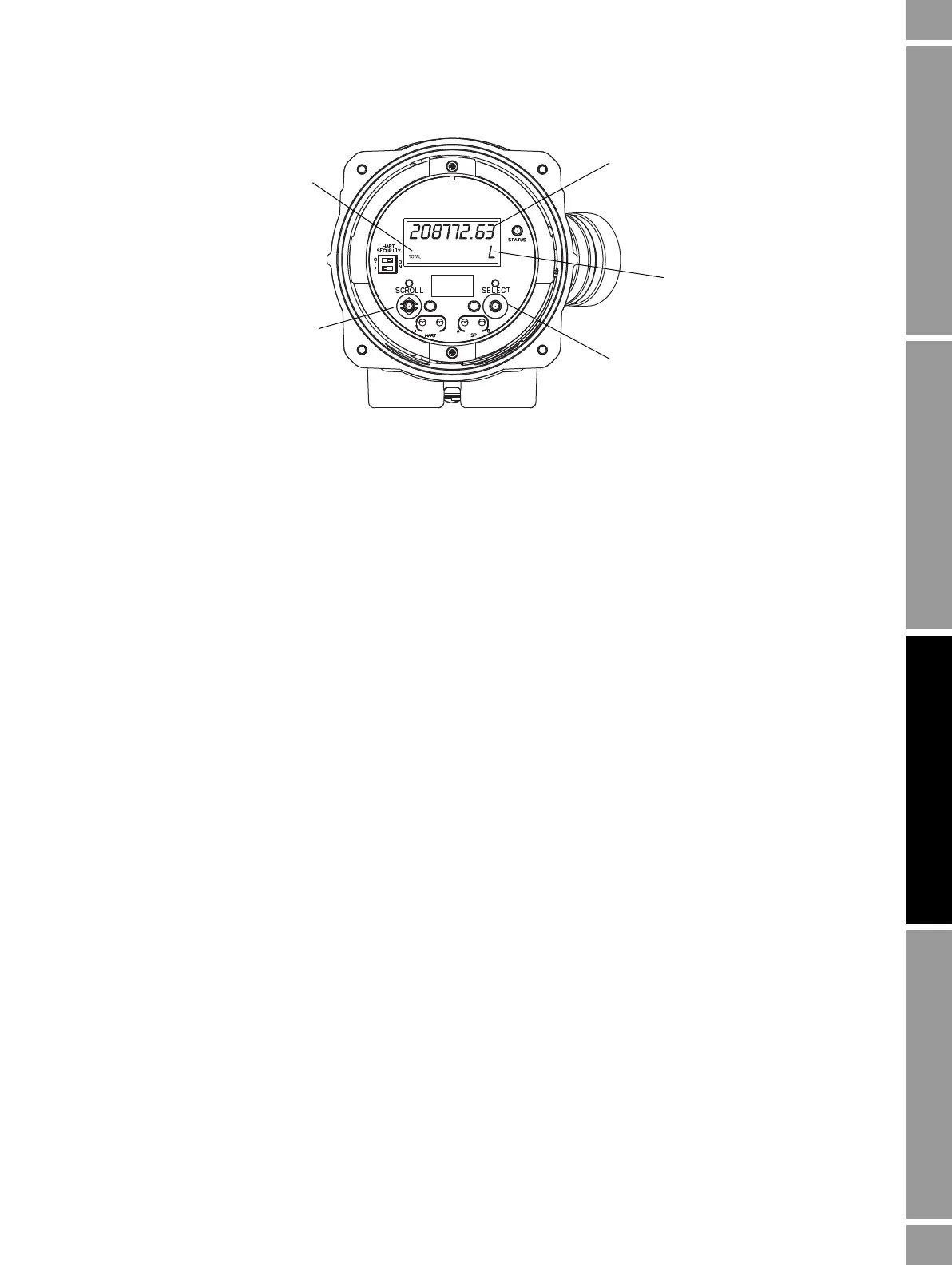
Figure 7-1 Totalizer values on display
With ProLink II
To view current totals for the totalizers and inventories with ProLink II:
1. Click
ProLink.
2. Select
Process Variables or Totalizer Control.
With the Communicator
To view current totals for the totalizers and inventories with the Communicator:
1. Press
2, 1.
2. Scroll through the list of process variables by pressing
Down Arrow.
3. Press the number corresponding to the totalizer or inventory you wish to view, or highlight it in
the list and press
Right Arrow.
7.6.2 Controlling totalizers and inventories
Table 7-2 shows all of the totalizer and inventory functions and which configuration tools you can use
to control them.
Note: You can also assign some totalizer and inventory functions to the discrete input or to a discrete
event. For information on configuring the discrete input, see Section 6.7.2. For information on
configuring events, see Section 8.7.
Current value
Unit of measure
Process variable
Scroll optical switch
Select optical switch














 To Next Page