Configuration and Use Manual 173
Menu Flowcharts – Model 2400S AN Transmitters
Menus IndexDisplay CodesDiagrams
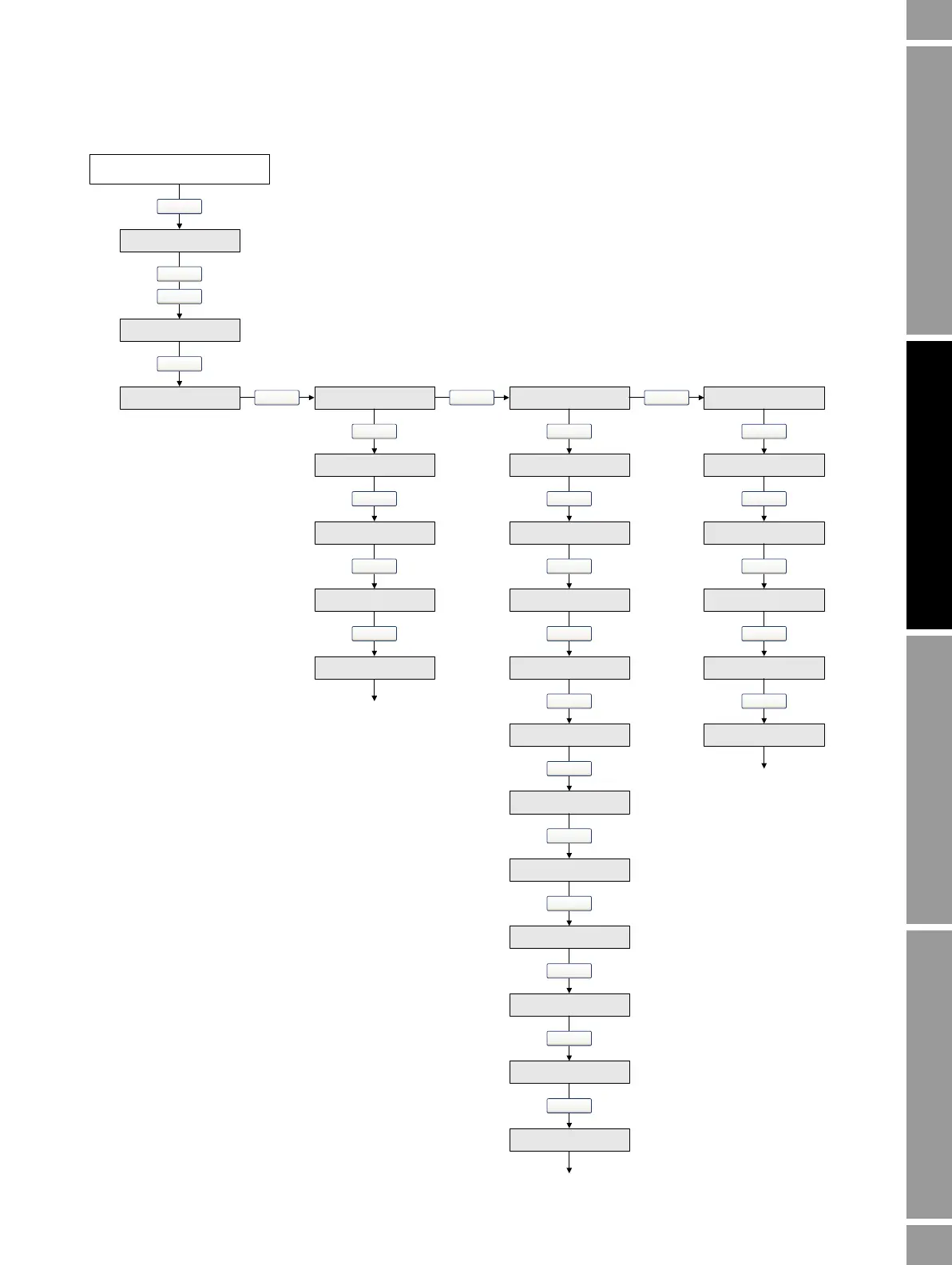
Figure C-14 Display menu – Maintenance – Configuration: Meter factors, display, digital communications
OFF-LINE MAINT
Scroll and Select simultaneously
for 4 seconds
Scroll
Select
Select
Scroll
CONFG
UNITS
MASS
MTR F
VOL
Select
Scroll
Scroll
DENS
EXIT
Scroll
Scroll Scroll
TOTALS RESET
DISPLAY
TOTALS STOP
DISPLAY OFFLN
(1)
Select
Scroll
Scroll
Scroll
DISPLAY ALARM
EXIT
Scroll
DISPLAY ACK
Scroll
AUTO SCRLL
(2)
Scroll
OFFLINE PASSW
(3)
Scroll
DISPLAY RATE
DISPLAY BKLT
DISPLAY LANG
WRITE
Scroll
Scroll
Scroll
Scroll
IrDA
ASCII MBUS
Scroll
ADDR MBUS
Scroll
Scroll
Select
EXIT
COMM
Scroll
(1) If you disable access to the offline menu, the offline menu will disappear as
soon as you exit. To re-enable access, you must use ProLink II or the
Communicator.
(2) If Auto Scroll is enabled, a Scroll Rate screen is displayed immediately after
the Auto Scroll screen.
(3) If Offline Password is enabled, a Change Password screen is displayed
immediately after the Offline Password screen.



 To Next Page