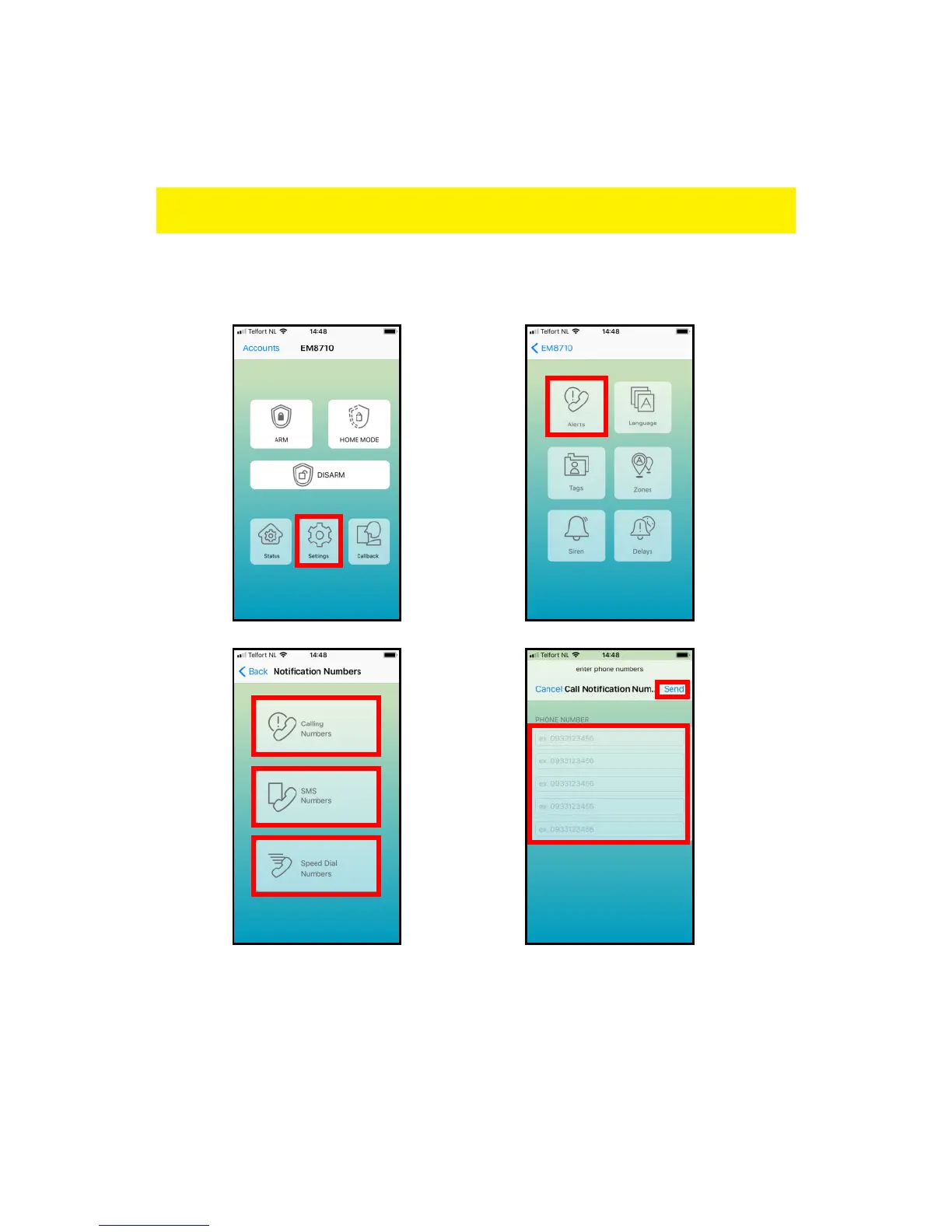
You can set up to five phone numbers which should receive a text message, should
be called during an alarm event or to be called as speed dial.
Remark: Only mobile numbers entered as alarm number can control the alarm system
by text message commands or by the APP!
With the EM8710 APP:
Press “Settings” – “Alerts”
By text message command:
You can also set the numbers by sending a text message with “5” (call), “6” (text
messages), “8” (Speed dial) to the alarm system. You will receive a text message with
the current settings.



 To Next Page