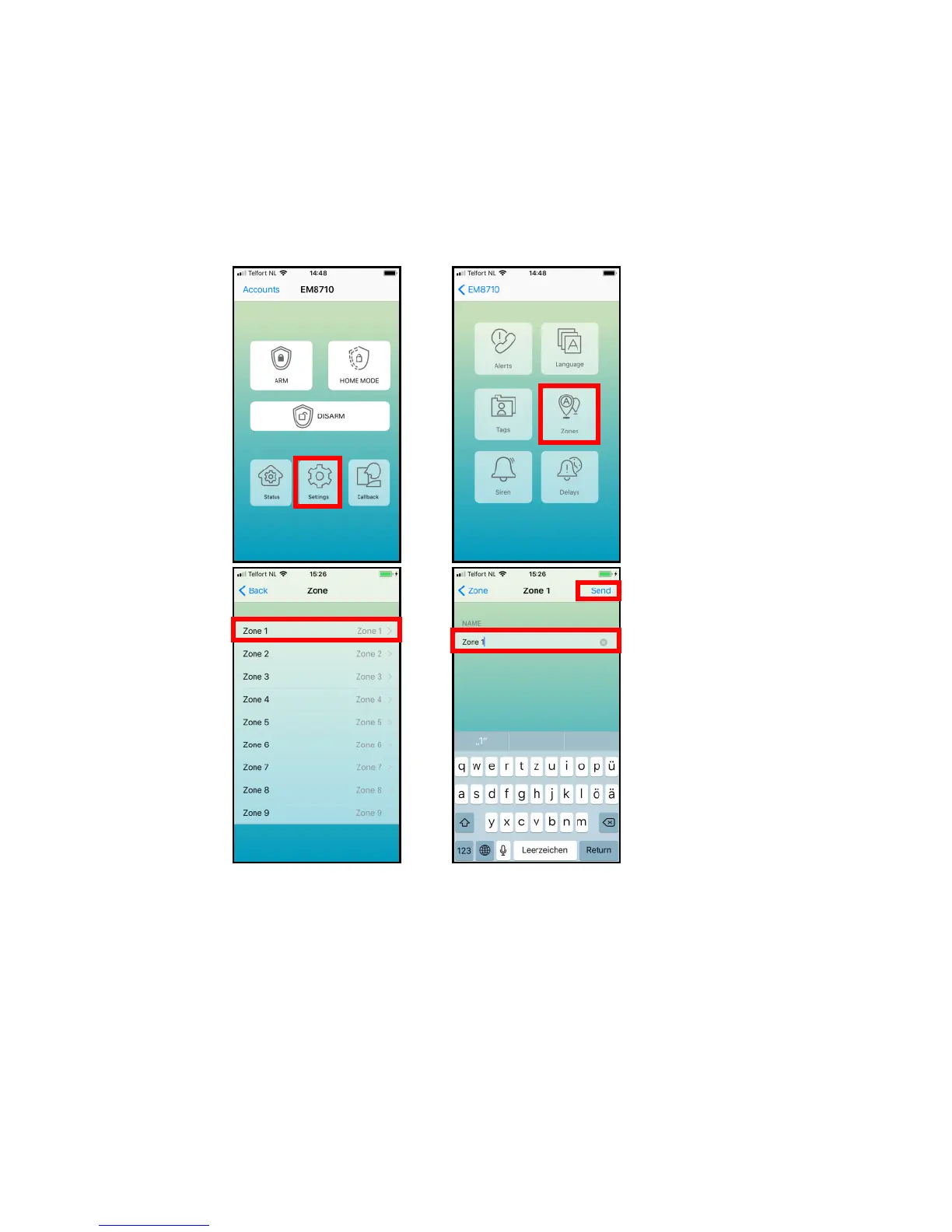
8.4 Change Sensor (zone) name
Every sensor is provided with a zone number. You can change the sensor (zone)
name to a preferred name. You can change the name of the sensors 1 to 9. Every
sensor name can be used up to 24 characters. The names of the sensors above 9
cannot be changed.
With the EM8710 APP:
The text message to change the name of sensor zone name is “91 up to 99” (9 is the
command and the second digit 1 is the sensor (zone) number).
Copy the received text into a new text message, modify the text and send the text
message to the GSM-number of the alarm System.



 To Next Page