8.5 Low battery warning of a sensor by text message
You will receive a text message when the battery level is low. The message will have
the following information in the text message: Zone xx battery is low, the sensor name
(Up to sensor 9) will be visible at the spot marked as xx. Sensors above sensor 9 will
be displayed with the sensor number.
8.6 Sabotage warning of a sensor by text message
You will receive a text message when the sensor has been sabotaged. The message
will have the following information in the text message: The sensor name (Up to
sensor 9) and the text ‘Sabotage alarm’. Sensors above sensor 9 will be displayed
with the sensor number followed with the text ‘Sabotage alarm’.
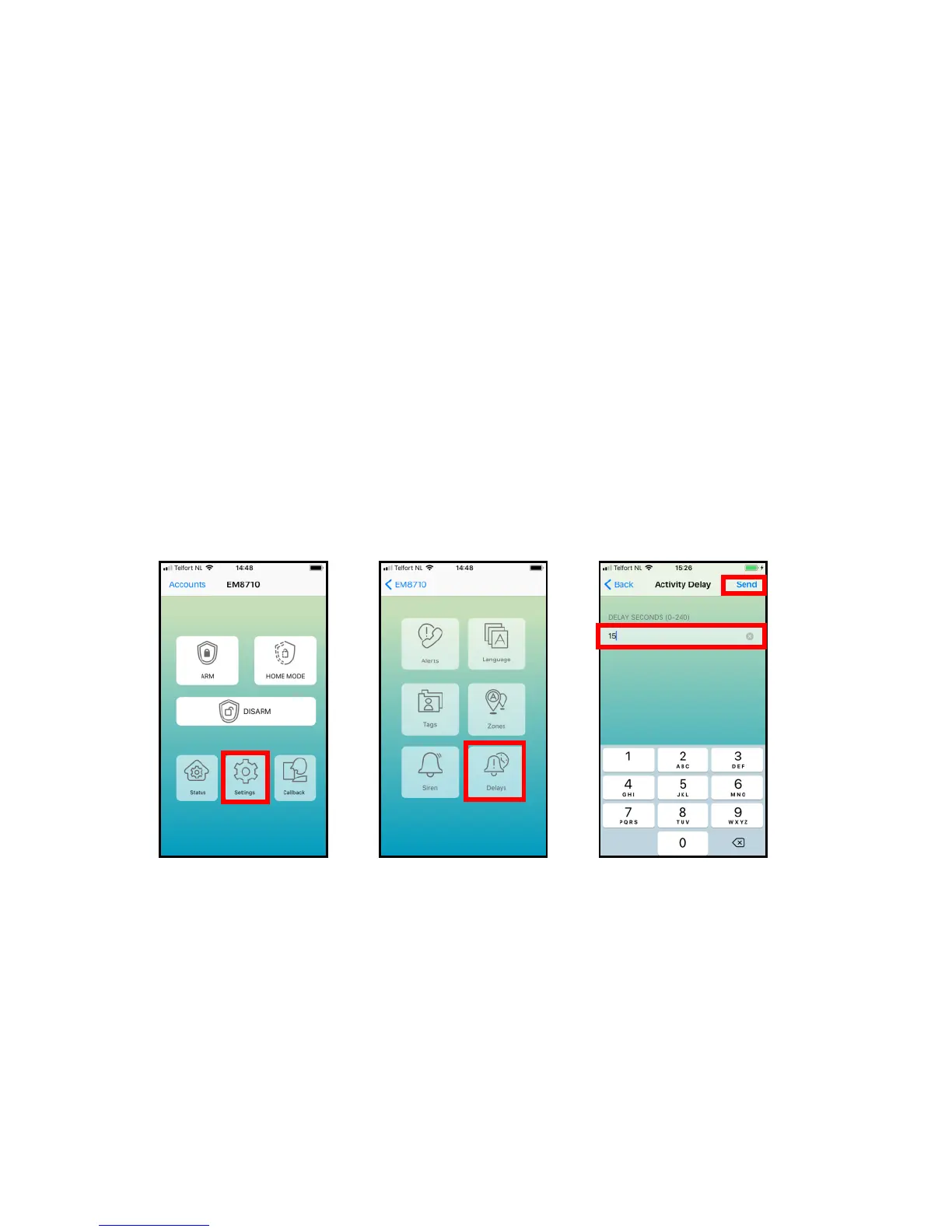
8.7 Configure the delay time
When a delay time is set, the alarm system will beep every second as warning of the
delay. The last 5 seconds the speed of the beeps will increase.
The delay you can set here is the entry and exit delay (only for sensors configured as
“Security type 3 and 4”).
With the EM8710 APP:
The text message to change the delay time is “11”.
Copy the received text into a new text message, modify the text and send the text
message to the GSM-number of the alarm system.



 To Next Page