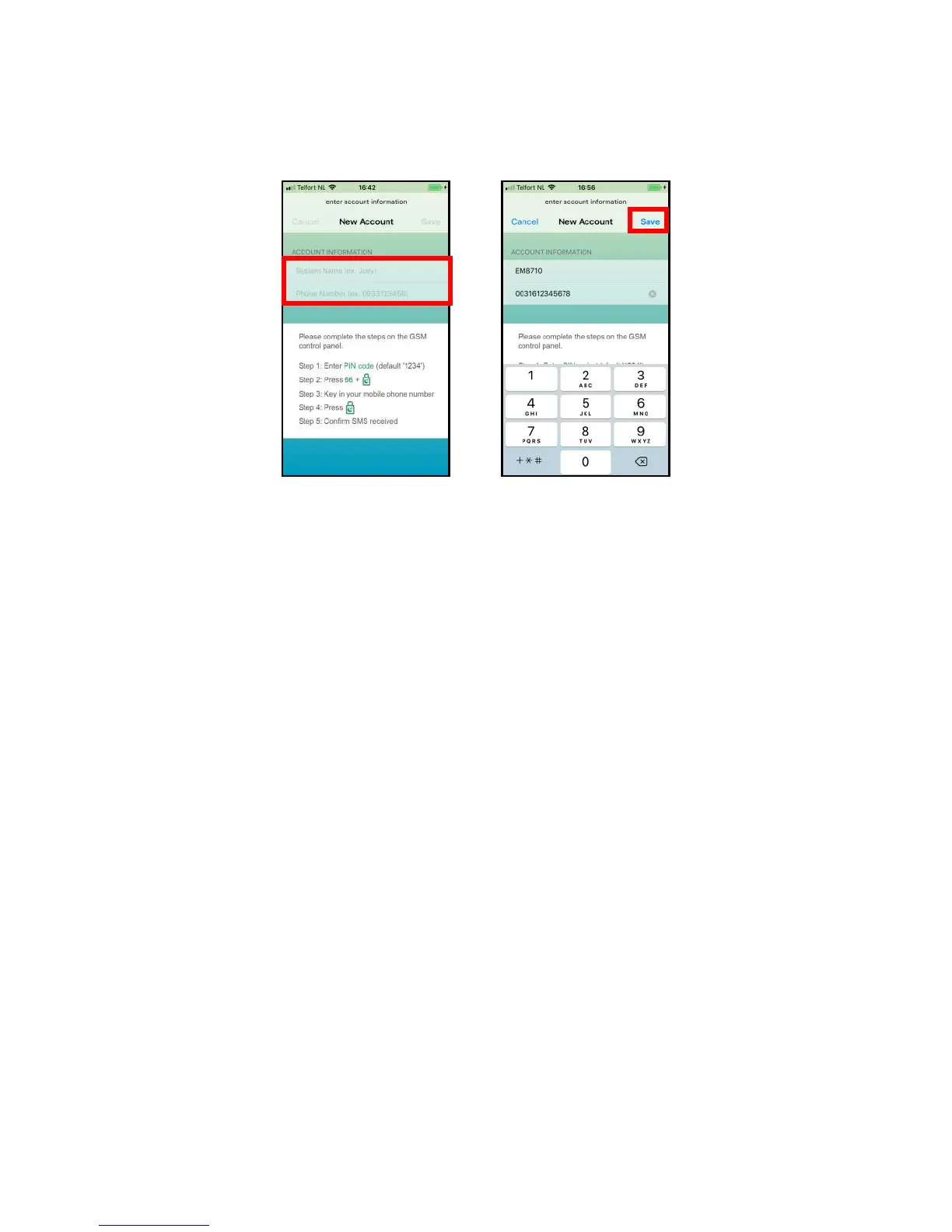
7.2 Create and add an account
1. Start the APP on your phone and enter a name for the alarm system and the
phone number of the SIM card installed in the alarm panel.
Click “Save”.
7.3 Modify or delete a device in your account
7.3.1 iOS
To modify or delete a device from your account.
Select the option “Accounts” from the main menu of the APP.
Select the device you wish to modify or delete from the account list.
Now you can modify the accounts name, phone number, or delete the account.
7.3.2 Android
To modify or delete a device from your account.
Select, press, and hold the Account from the main menu of the APP.
Select the option “Edit” or “Delete” to modify or delete the device from the account list.
Now you can modify the accounts name, phone number, or delete the account.
8.0 Configure the alarm system
All settings of the system can be controlled and configured by using the APP or by
sending text message commands.
8.1 Configure phone numbers
These numbers are the phone numbers that will receive a text message and/or will be
called when the alarm is triggered or the numbers you wish to set as a speed dial.
You need to make sure the country code is entered first. For example, the country
code for the UK is 0044. You can add multiple phone numbers to the list. Send the
message when you are finished adding phone numbers.



 To Next Page