Copy the received text into a new text message, modify the text by adding/editing the
phone numbers and send the text message back to the GSM-number of the alarm
system.
Notice: When configuring 5 numbers without using the APP you will need to send 2
SMS text messages (the maximum amount characters to configure 5 numbers
exceeds the maximum amount of characters per default SMS). In this case use the
copied text and remove the last row “5.XXXXXXXXX” and send the SMS. After you
received a reply from the alarm “OK” paste the text again and now delete the rows 1.
until 4. So only the text “5.XXXXXXXXXX”remains and send the SMS.
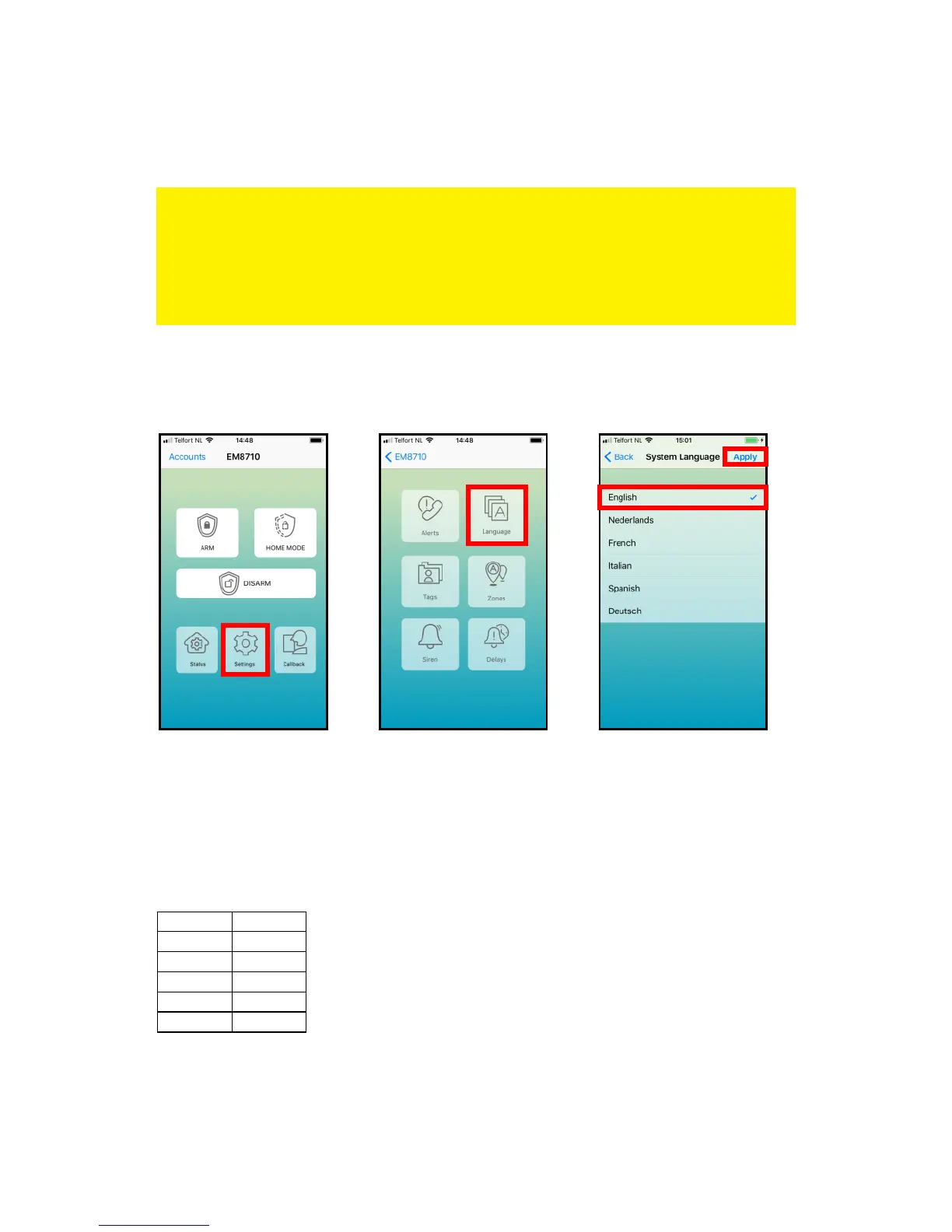
8.2 Change language
With the EM8710 APP:
Restart the APP to view the APP in the selected language.
By text message command:
You can also set the language by sending a text message to the number of the alarm
system with the 4-digit command:



 To Next Page