28
Operation Modes
TheEAP900Hsupportsthreeoperatingmodes:
AccessPoint,WDSAP,andWDSBridge.
Device Settings
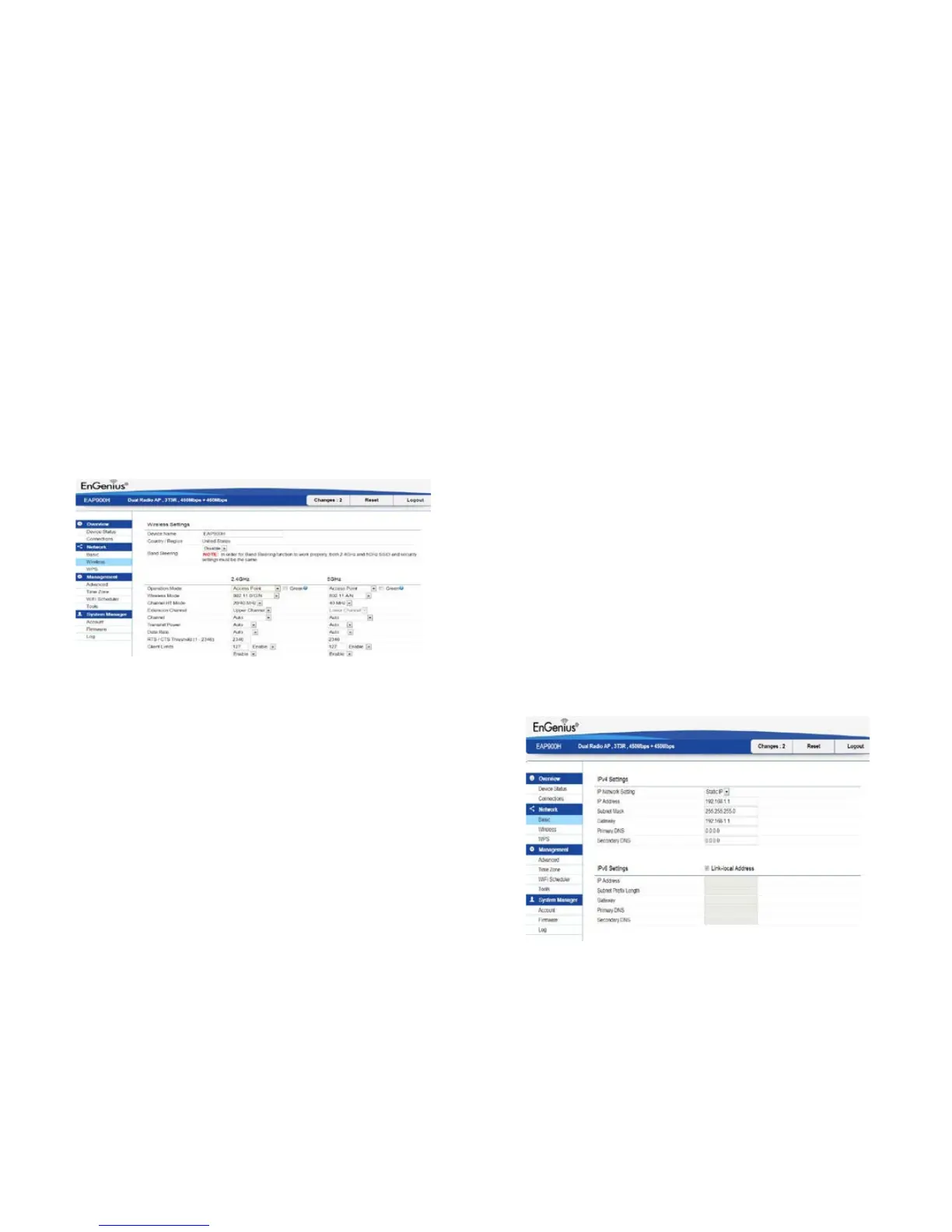
Toaccessoperationmode,clicktheWireless section under
Network in the sidebar. You will see wireless settings
customizable options for both the 2.4 GHz and 5 GHz
modes.UnderWirelesssettings,youwillsee:
Device Name: Enter a name for the device. The name you
type appears in SNMP management. This name is not the
SSID and is not broadcast to other devices.
Country/Region: Select a Country/Region to conform to
local regulations.
Operation Mode: Use the radio button to select an
operating mode.
Band Steering:EnableBandSteeringtosends802.11n
clients to the 5 GHz band, where 802.11b/g clients
cannotgo,andleavesthe802.11b/gclientsin2.4GHzto
operate at their slower rates. Band Steering works within
the Access Point by directing 5 GHz-capable clients to
that band.
*Note:InorderfortheBandSteeringfunctiontowork
properly,boththe2.4Ghzandthe5GHzSSIDandsecurity
settings must be under the same selection settings.
Basic
This page allows you to modify the device’s IP settings.



 To Next Page