50
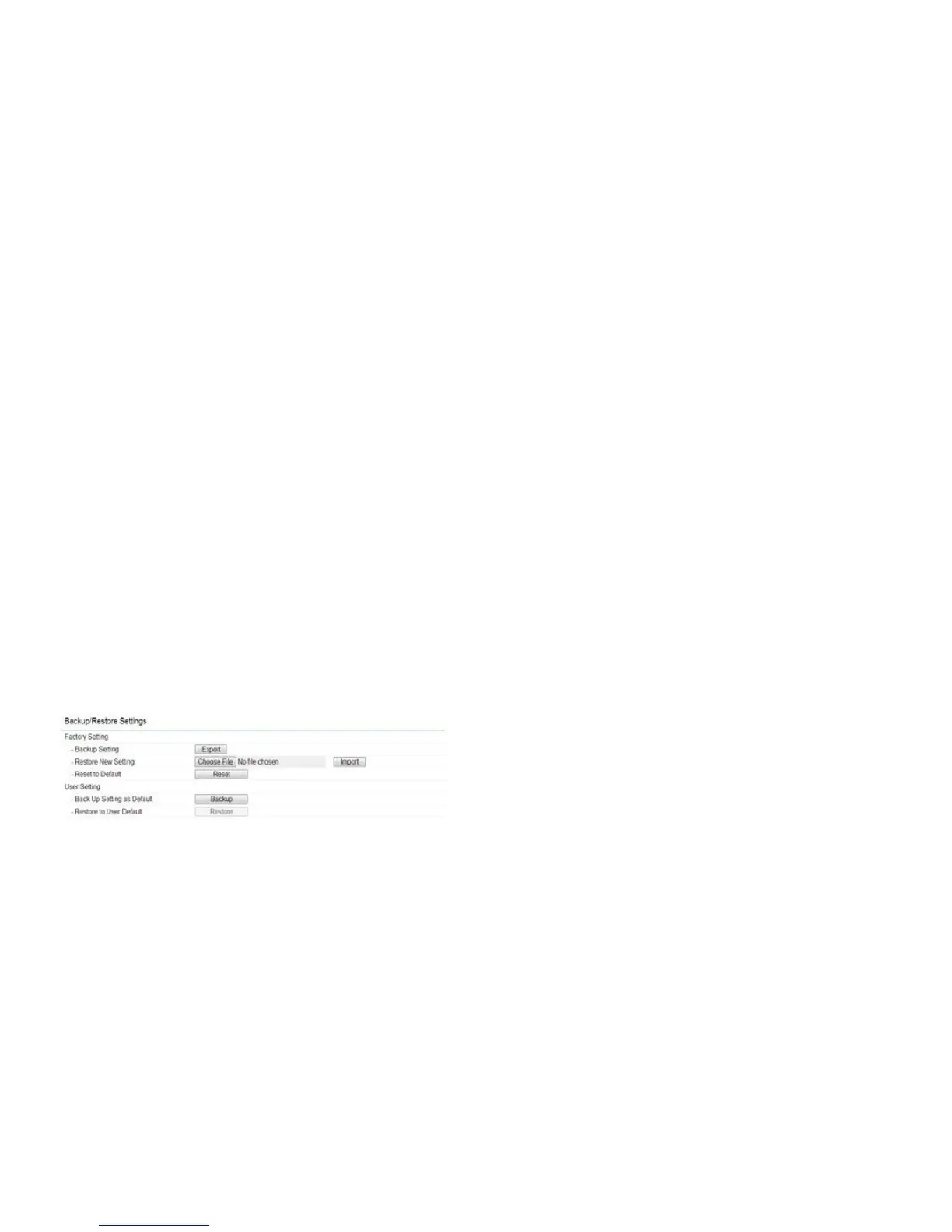
Backup/Restore
This page allows you to save the current device
configurations. When you save the configurations,
you can also reload the saved configurations into the
device through the Restore Saved Settings from a file
folder.Ifextremeproblemsoccur,orifyouhavesetthe
EAP900Hincorrectly,youcanusetheFactoryDefault
button in the Revert to Factory Default Settings section
to restore all the configurations of the EAP900H to
the original default settings. To Configure the Backup/
Restore Settings, click Firmware under the Systems
Manager tab.
Factory Settings
Backup Settings: To restore settings that have been
previouslybackedup,clickExport,selectthefile,and
click Restore.
Restore New Setting:Choosethefileyouwishrestore
for settings and click Import.
Reset to Default: Click the Reset button to restore the
EAP900H to its factory default settings.
User Settings
Back Up Setting as Default: Click Backup to backup the
user settings you would like to use as the default settings.
Restore to User Default: Click Restore to restore user
settings to the factory standard settings.



 To Next Page